Vextrude
準備完了
ドラッグで回転 • スクロールでズーム
スキャンテスト
カメラ認証
ライブ
確認するためにカメラをQRコードに向けてください
機能

なぜVextrude 3D QR?

ウェブで最も先進的な無料3D QRコードジェネレーター。サインアップなし、ウォーターマークなし、制限なし。

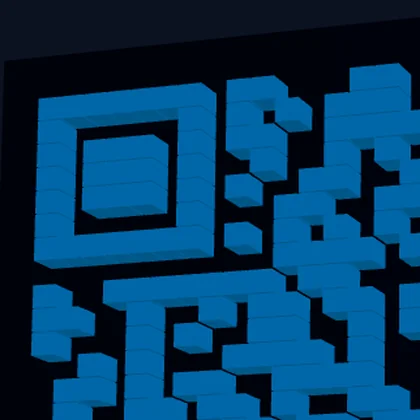
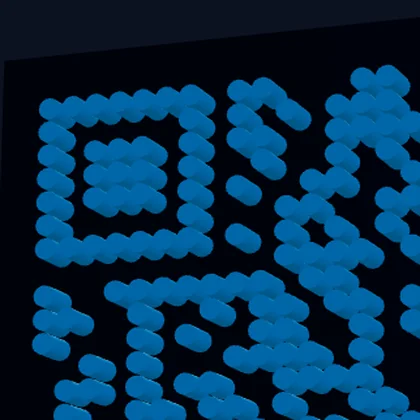
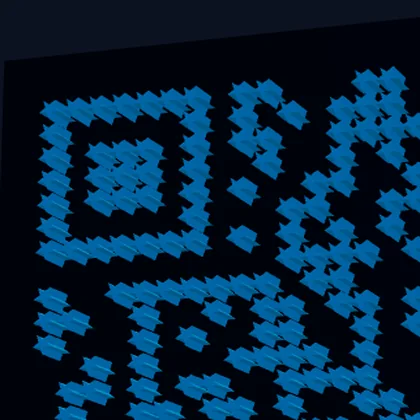
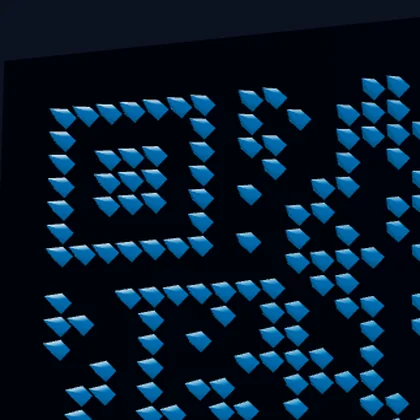
24以上のモジュールスタイル

クラシックな四角、丸い点、星、六角形、ダイヤモンド、矢印、ハートなど。各スタイルはFDMおよびレジン印刷に最適化された適切な3Dジオメトリを生成します。

WiFi & vCard QR

WiFiネットワーク(SSID、パスワード、暗号化)と連絡先カード(vCard 3.0)用QRコードを生成 — URLだけではありません。

マルチフォーマットエクスポート

3D印刷用STL、Blender&Maya用OBJ、ウェブ/AR用GLB、マルチカラープリンター用埋め込みカラーデータ付き3MF、またはデジタル用SVG/PNGとしてダウンロード。

ロゴ埋め込み

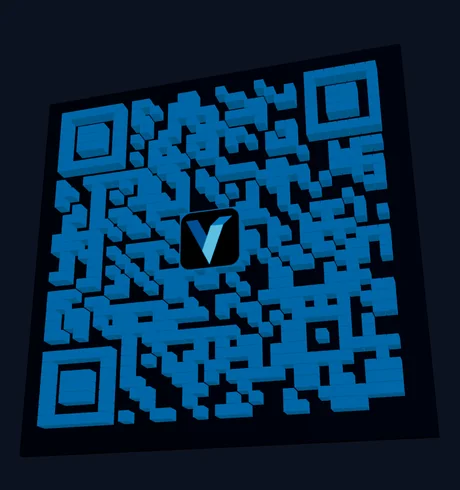
ブランドロゴ(PNG、JPG、SVG)をアップロードしてQRコードの中央に埋め込みます。QRがスキャン可能であることを保証するため高エラー訂正(30%)を使用。

グラデーション色

調整可能な角度とエンドポイントカラーでQRモジュールに線形または放射状グラデーションを適用します。完全にスキャン可能でありながら目を引くQRコードを作成します。

内蔵スキャンテスト

内蔵カメラスキャナーを使用して印刷前にQRコードの動作を確認。外部アプリ不要 — ブラウザでワンクリックで直接テスト。

無料3D QRコードジェネレーター

ブラウザで美しい3D印刷可能QRコードを即座に作成。サインアップ不要、インストール不要。

ロゴ埋め込み

ブランドロゴをアップロードしてQRコードの中央に埋め込みます。PNG、JPG、SVGファイルに対応。

カメラスキャンテスト

内蔵カメラスキャナーで印刷前にQRコードを確認。外部アプリは不要です。

ライブ3Dプレビュー

ドラッグ回転、ズーム、自動回転機能を備えたリアルタイムThree.jsビューポート。変更は即座に反映されます。

3D QRコードの作り方

  1. QRタイプを選択: Select Text/URL, WiFi, or vCard and fill in the content.
  2. スタイルを選択: Browse 23 module styles in the Styles tab — from classic squares to dots and stars.
  3. カスタマイズ: Adjust size, depth, base thickness, and colors. Choose a base shape (square, circle, or hex).
  4. ロゴ追加(任意): Upload your logo in the Logo tab. Use High error correction for best results.
  5. エクスポート: Download as STL for 3D printing, OBJ for modeling, or 3MF for multi-color printing.

QRコード3D印刷のベストプラクティス

For the best scan results, use a 最小サイズ50mm with at least 2mm押し出し深さ. Print with high contrast colors — dark modules on a light base or vice versa. 0.2mmレイヤー高さ gives the cleanest edges.

For デュアルカラー印刷, use the 3MF export which embeds color data, or use the multi-part STL option to import base and QR modules as separate objects in your slicer. You can also pause the print at the base layer height and swap filament for a manual color change.

サポートされるQRコンテンツタイプ

Beyond simple URLs, this tool generates WiFi QRコード (SSID, password, encryption type) that let people connect to your network with a single scan, and vCard QRコード (name, phone, email, company, website) for sharing contact information. All content types produce fully scannable 3D QR codes.

QRコードエラー訂正レベル

QR codes use リードソロモンエラー訂正 to remain scannable even when partially damaged or obscured. Vextrude supports all four levels: 低(7%) for maximum data density, 中(15%) as the default balance, 四分位(25%) for moderate resilience, and 高(30%) which is required when embedding a logo in the center. Higher error correction increases the QR module count, so choose the lowest level that meets your needs for smaller, cleaner designs.

ベース形状 & 3Dジオメトリ

Choose from three base shapes: 四角形 (standard, best for framing and mounting), 丸型 (soft corners, modern aesthetic), and 円形 (perfect for coasters, keychains, and badges). Each shape generates watertight 3D geometry with configurable モジュール深さ, ベース厚, and an optional 隆起フレーム for structural rigidity. The no-base option outputs only the QR modules for embedding into your own designs.

人気の使用例

3D印刷QRコード are used for business cards and desk signs, retail product tags, restaurant table numbers with menu links, WiFi access codes for offices and Airbnbs, event badges and conference swag, museum exhibit labels, real estate listing signs, and personalized gifts. The raised 3D surface is more durable than printed stickers, resistant to weather, and adds a premium tactile quality that flat QR codes lack.

ブログ最新記事

Vextrudeチームからのヒント、チュートリアル、最新情報。

よくある質問

QRコードを3D印刷できますか?

はい!STLでエクスポートしてFDMまたはレジン3Dプリンターで印刷しましょう。最良のスキャン結果のために0.2mmレイヤー高さと高コントラスト色を使用してください。推奨最小サイズは50mmです。

3D QRコードはまだスキャンできますか?

はい。QRデータパターンは3Dモデルに保持されます。印刷前にカメラで確認するには内蔵スキャンテストボタンを使用してください。モジュールとベースの色のコントラストが高いほど最良の結果が得られます。

QRコードにロゴを追加できますか?

はい。ロゴタブに移動してPNG、JPG、またはSVG画像をアップロードしてください。エラー訂正を「高(30%)」に設定してください — これにより、中央部分がロゴに置き換えられてもQRがスキャン可能な十分な冗長性が作られます。

3MFエクスポートは何のためですか?

3MFファイルには埋め込みカラーデータが含まれます。PrusaSlicerやBambuStudioなどのスライサーにインポートすると、QRモジュールとベースプレートに自動的に異なる色が割り当てられます — 手動ペイント不要。

商用利用は無料ですか?

はい。このツールは100%無料でサインアップ不要です。すべての処理はブラウザでローカルに行われます — データがサーバーにアップロードされることはありません。生成されたQRコードはどのような目的にも使用できます。

どのエラー訂正レベルを使うべきですか?

Use 中(15%) for standard QR codes without a logo. If you're embedding a logo, switch to 高(30%) so the QR remains scannable even with the center area obscured. Low (7%) maximizes data density but offers minimal resilience to damage.

3D QRコードにグラデーション色を使えますか?

はい。カラーセクションでグラデーションを有効にし、線形または放射状グラデーションタイプを選択します。開始色と終了色、角度を調整します。グラデーションは2D SVGと3Dプレビューの両方のQRモジュールに適用されます。3D印刷の場合、色の参照にSVG/PNGエクスポートを使用してください。

どのベース形状が利用できますか?

Three base shapes: 四角形 (standard), 丸型 (soft corners), and 円形 (ideal for coasters and keychains). You can also enable a 隆起フレーム for structural rigidity or use ベースなしモード to export only the QR modules for embedding into custom designs.