無料 フォント → Typeface.json コンバーター
変換: TTF and OTF フォントを Three.js の typeface.json に瞬時に、ブラウザー内で — 100% 無料・プライベート・サーバーへのアップロードなし。
フォントファイルをクリックまたはドロップ
TTFとOTFをサポート(最大50MB)
変換設定
特定の文字のみを変換することで出力ファイルサイズを制限します。
3Dテキストが裏返しに見える場合に使用してください。
font.ttf
変換準備完了
3D プレビュー
WebGLプレビューを見るにはフォントをアップロード
typeface.jsonとは?
It's a JSON-based font format used by Three.js `FontLoader`. Converting your TTF files allows them to be loaded asynchronously in web applications without needing complex parsing libraries at runtime.
Read the full tutorialフォントコンバーターとは?
Vextrude フォントコンバーターは、TTF または OTF フォントを Three.js の typeface.json 形式に変換する無料のブラウザーベースツールです——これは 3D テキストライブラリが本物の押し出し文字を作るのに必要なファイルです。フォントをドロップし、文字セットとベジェ精度を調整して、ワンクリックですぐに使える JSON をダウンロードできます。すべての処理はローカルで行われ、フォントがお使いのマシンを離れることはありません。
フォントを typeface.json に変換する方法
生のフォントファイルから Three.js 向け typeface.json までを 4 ステップで——すべてブラウザー内で完了。
フォントをアップロード
. ttf または. otf ファイルをドロップ(またはクリックして選択)。一括アップロードも利用可能——複数のフォントを一度に追加できます。
設定を調整
ファイルサイズを削るために、文字サブセット(ラテン、キリル、記号…)とベジェ精度を選びます。
ライブ 3D プレビュー
確定前に、読み込んだフォントの押し出し 3D サンプルを回転させてグリフの問題を早めに発見しましょう。
ダウンロード
typeface.json を保存、クリップボードにコピー、または複数フォントを .zip に一括エクスポートできます。
なぜ Vextrude フォントコンバーターなのか?
ウェブ向けの高速かつプライベートなフォント変換を必要とする開発者とデザイナーのために作られました。
100% プライベートかつ安全
すべては opentype.js を使ってブラウザー内でローカルに行われます。フォントはサーバーに一切送られず、アップロードもトラッキングも分析もありません。
瞬時に変換
フォントをドロップすると、一瞬で typeface.json が戻ってきます。待ち行列もサーバー往復も、一日の上限もありません。
一括変換
フォントを一度に十数個ドロップして、すべてを 1 つの .zip でダウンロード——ゲームやサイトの共有フォントライブラリ作りに最適です。
文字サブセット
必要なグリフだけを出荷しましょう。非ラテン文字や重い記号セットを削れば、エクスポートされる JSON も相応に小さくなり——バンドルの実際のバイト削減になります。
Three.js 対応
出力は変換やラッパー不要で FontLoader / TextGeometry(react-three-fiber の Drei <Text3D>)にそのまま読み込みます。
ずっと無料
サインアップもウォーターマークもファイルサイズのペイウォールもありません。変換権を持つすべてのフォントを個人・商用に無料でご利用いただけます。
フォントと typeface.json の基本
フォントファイルを 3D 向けのグリフデータに変えるために知っておくべきことのすべて。
typeface.json とは?
フォントの各グリフをベジェコマンド(moveTo、lineTo、quadraticCurveTo、cubicCurveTo)の連なりとして保存する JSON ファイルです。Three.js の FontLoader はそのパスを ShapeGeometry に変換し、TextGeometry がそれを本物の 3D 文字に押し出します。「フォントファイル」と「3D メッシュ」の間の形式です。
なぜ TTF を直接読み込まないのか?
Three.js の TextGeometry は押し出せる特定のシェイプ構造を必要とします。生の TTF/OTF ファイルは Three が使わないもの(ヒント、カーニングテーブル、OpenType 機能など)を多く含むため、直接ブラウザーに送ると帯域幅を無駄にし、見出しを描くためだけにすべての訪問者にフォントをパースさせることになります。
ベジェ精度
ベジェ精度(または曲線セグメント)はグリフの輪郭の滑らかさを決めます。高いと 3D 文字は滑らかに、但 JSON は大きくなります。UI ラベルやタイトルなら 6~8 で元との違いはほぼ分かりません;ヒーローショットなら 12~16 まで引き上げられます。
文字サブセット
実際のフォントはしばしば何千ものグリフを含みます——ラテン、キリル、ギリシア、CJK、記号、合字など。「VEXTRUDE 2026」だけ必要なら、サブセット化でエクスポート前に残りを除外できます。4 MB の CJK フォントをラテンのみにすれば数 KB にまで縮むこともあります。
ライセンスとフェアユース
埋め込み権を持つフォントだけを変換してください。商用フォントの多くはウェブ利用を許可しますが、生のグリフデータとしての再配布は許可しません——EULA を確認してください。オープンソースフォント(SIL OFL、Apache)はアプリと共有リポジトリのどちらでも最も安全です。
出力の利用
JSON がすでにメモリにあるなら FontLoader.parse()で、フェッチするなら FontLoader.load()で読み込みます。返されたフォントを TextGeometry に渡し、マテリアルを付けて押し出せば完了です。
変換した4書体
このツールでレンダリング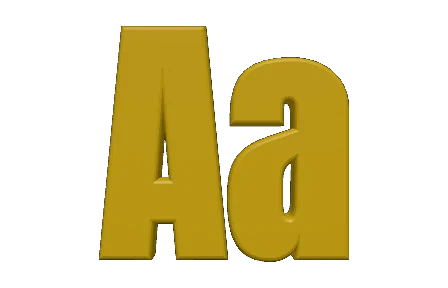
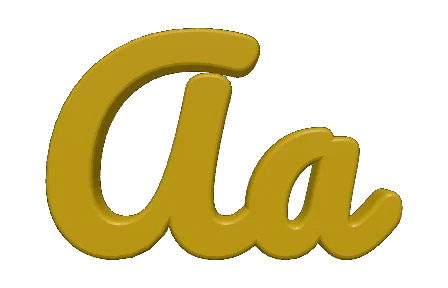
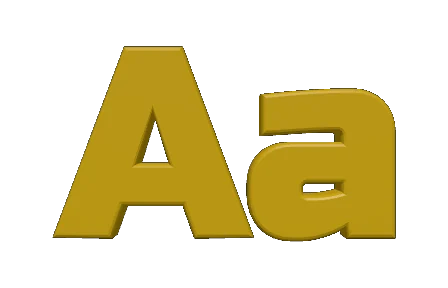
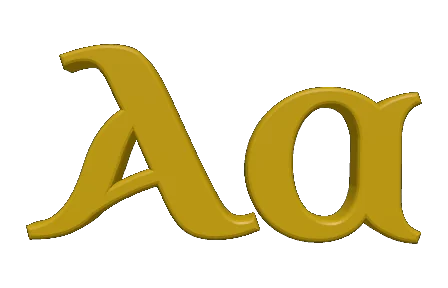
変換後の同じ2文字を、ツール自身のプレビューで描いたものです。太いグロテスク、筆記体、角張ったディスプレイ書体、そして歴史的なアンシャル体 — 輪郭は各フォントからそのまま取り出されるので、ここで見えているものがそのまま TextGeometry で押し出されます。
対応フォント形式
デザインアプリやブラウザーですでに使っているフォントをドロップしてください——コンバーターは全てを読み取り、Three.js に必要な形式で出力します。
TTF
TrueType
デスクトップとウェブで最も一般的なフォントで、二次ベジェの輪郭に基づいています。入力として完全サポートされます。
OTF
OpenType
高度なタイポグラフィを備えた TTF のスーパーセット。三次ベジェの輪郭と OpenType 機能をクリーンに解析します。
typeface.json
出力
Three.js 独自の JSON フォント形式。ダウンロードファイルまたはバッチ .zip として提供されます。
.zip
バッチバンドル
複数のフォントがキューにあるとき、一つのアーカイブに各 typeface.json とマニフェストがまとめられます。
入力
出力
あなたの 3D スタックと連携
エクスポートした JSON は主要な Three.js 統合にそのまま入ります——ラッパーコードもフォーマットシムも不要です。
Three.js
FontLoader / TextGeometry
本来の使い方です——JSON 形式は Three.js が設計しました。読み込み、パース、押し出し。
react-three-fiber
Drei <Text3D>
JSON を Drei の Text3D コンポーネントに渡して、React で宣言的に 3D タイポグラフィを実現できます。
ゲーム と WebXR
AR/VR ラベル
ブラウザーベースのゲームや WebXR 体験に、シャープな 3D サインや HUD を尊入できます。
データ可視化
チャートとダッシュボード
ブラウザー上で地図、金融チャート、科学的プロットのカスタムラベルフォントを押し出します。
よくある質問
Vextrude フォントコンバーターについて知っておくべきことのすべて。
typeface.json フォントとは?
Three.js 独自の JSON フォント形式です。コンパイルされたフォントファイルではなく、各グリフをベジェパスデータとして保存します。FontLoader が各文字をシェイプに変え、TextGeometry が本物の 3D メッシュに押し出します。
フォントはサーバーにアップロードされますか?
いいえ。すべては opentype.js と File API を介してブラウザー内でローカルに実行されます。コンバーターは、ドロップしたフォントをアップロードもキャッシュもログも一切行いません。
どのフォント形式を変換できますか?
TrueType (.ttf) と OpenType (.otf) です。二次・三次ベジェの両方の輪郭に対応します。ビットマップのみのフォントと、静的インスタンスを持たない可変軸のみのフォントは主な非対応です。
Three.js での出力の使い方は?
FontLoader で読み込み(loader.load() または loader.parse())、戻されたフォントを TextGeometry に渡し、生成されたメッシュをシーンに追加します。react-three-fiber では Drei の <Text3D> コンポーネントに渡せます。
JSON のサイズをどうやって小さくしますか?
2 つのレバー:キャラクターのサブセット化(不要な文字や記号を削除)とベジェ精度(低めの値だと曲線は少し粗くなりますが、ファイルは大幅に小さくなります)。どちらも Conversion Settings パネルにあります。
複数のフォントを一度に変換できますか?
はい。バッチゾーンに複数の .ttf/.otf ファイルをドロップして 「Convert & Download All」 を押すと、各 typeface.json を含む 1 つの .zip を受け取れます。
商用のために無料ですか?
ツール自体は個人・商用ともに無料です。生成された typeface.json を再配布できるかはフォントのライセンスによります——公開製品で JSON を提供する前に、商用フォントの EULA を必ず確認してください。
非ラテン文字に対応していますか?
はい——キリル、ギリシア、アラビア、ヘブライ、デーヴァナーガリー、タイ、CJK など、ソースフォントに必要な文字のグリフが含まれていればいずれもキレイに変換できます。