開始するにはハイトマップをドロップ
ノーマルマップ・ジェネレーターとは?
すべてブラウザ内で動作する無料のオンライン・ノーマルマップ・ジェネレーター。ハイトマップをドロップすると、ノーマル・ディスプレイスメント・アンビエントオクルージョン・スペキュラー・ラフネス・カーバチャの6つのPBRマップを、GPU上でリアルタイムに生成します。ライブ3Dプレビュー付き。画像は端末内でローカルに処理され、サーバーへ送信されることはありません。
オンラインでノーマルマップを作る方法
ハイトマップから完全なPBRセットまで4ステップ — アカウント・インストール・アップロード不要。
ハイトマップをアップロード
グレースケールのハイトマップや任意のテクスチャをドラッグ、またはクリックして選択(PNG、JPG、WEBP)。透過PNGに対応しています。
マップを調整
各マップに専用のライブスライダーがあります — 強さ、ぼかし/シャープ、AO、スペキュラー、ディスプレイスメント、ラフネス、カーバチャ。
3Dでプレビュー
平面・球・立方体・円柱の上でマテリアルが即座に更新される様子を確認したり、パンとズームで各マップを詳しく調べられます。
ダウンロード
1つのマップまたはセット全体をZIPで保存 — PNG、JPG、WEBP、透過を保持。
ハイトマップからノーマルマップへ
このツールでレンダリング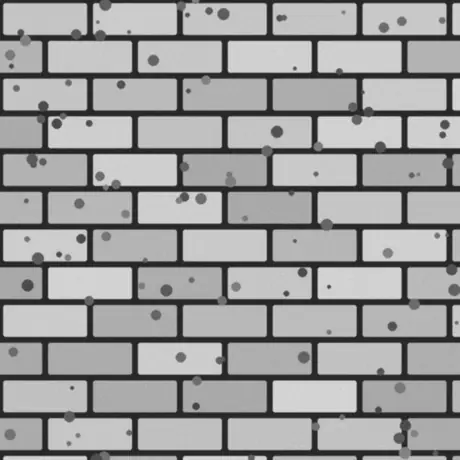
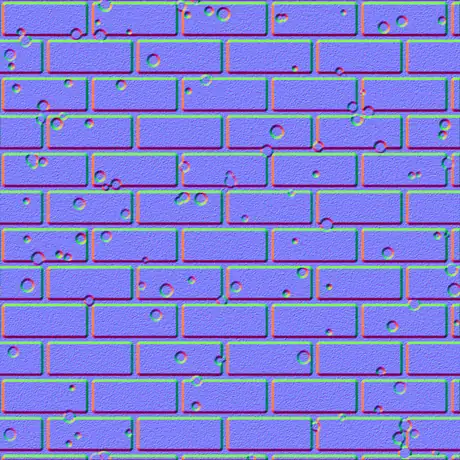
グレースケールのハイトマップを入力すると、タンジェント空間のノーマルマップが出力されます。明るいピクセルは高く、暗いピクセルは低いものとして扱われ、その傾きがシェーダーの読む赤と緑のチャンネルに変換されます。処理はすべてお使いのGPU上で行われ、画像がブラウザの外に出ることはありません。
このノーマルマップ・ジェネレーターを選ぶ理由
多くのオンライン生成ツールはテクスチャをサーバーへアップロードし、遅く処理します。本ツールはブラウザ内のGPUで動作し、すべてを保持します。
アップロードは一切なし
画像はディスクから直接読み込まれ、WebGLでローカルに処理されます。何も送信されないため、ネットワークがオフでも動作します。
GPUでリアルタイム
各マップはフラグメントシェーダーで生成されるため、スライダーを動かすと6つのマップすべてが数ミリ秒で更新されます — 4Kでも。
6つのマップ、それぞれ調整可能
ノーマル、ディスプレイスメント、アンビエントオクルージョン、スペキュラー、ラフネス、カーバチャ — それぞれ専用のライブコントロール付き。
透過は切り抜きのまま
アルファチャンネル付きPNGをドロップすると、各マップはシルエットが浮き出たきれいな切り抜きになります — デカールやスプライトに最適。
エンジン対応の出力
OpenGL (+Y) または DirectX (-Y) のノーマル、SobelまたはScharrのディテール、ぼかしとシャープ、さらにglTF・Unity・Unreal向けのメタルラフのラフネスマップ。
登録不要で無料
アカウント不要、透かしなし、端末のメモリが許す範囲を超えるファイルサイズ制限もありません。
生成される6つのマップ
1枚のハイトマップから、物理ベースのマテリアル一式ができあがります。ノーマルマップ、ディスプレイスメントマップ、アンビエントオクルージョンマップ、さらに3種類。それぞれが何で、どこで使うのかを以下にまとめます。
| マップ | 内容 | 最適な用途 |
|---|---|---|
| ノーマル | 接空間のRGB方向、OpenGL (+Y) または DirectX (-Y)。 | リアルタイム照明下で表面の凹凸を疑似的に表現。 |
| ディスプレイスメント | コントラスト調整可能な高さデータ。 | 実ジオメトリのディスプレイスメント、テッセレーション、パララックス。 |
| アンビエントオクルージョン | くぼみにできる柔らかい接触影。 | へこみ部分の説得力ある陰影づけ。 |
| スペキュラー | 表面が光を受ける位置を高さから算出。 | 従来のスペキュラー/グロスのシェーディング。 |
| ラフネス | 局所的な表面ディテールから得るマイクロラフネス。 | glTF・Unity・Unreal のメタリック-ラフネス ワークフロー。 |
| カーバチャ | 凸/凹のキャビティマップ — 明るいエッジ、暗いくぼみ。 | エッジの摩耗、汚れ、マスク生成。 |
1枚の画像から生まれるマップ
このツールでレンダリング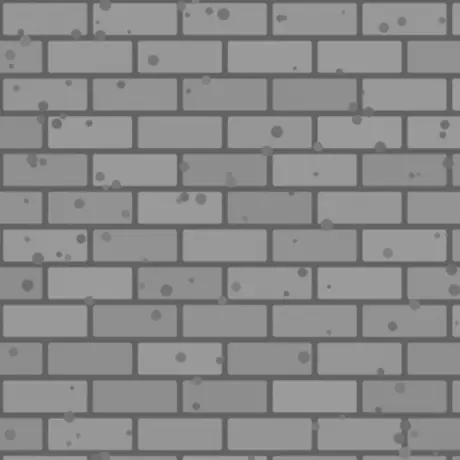
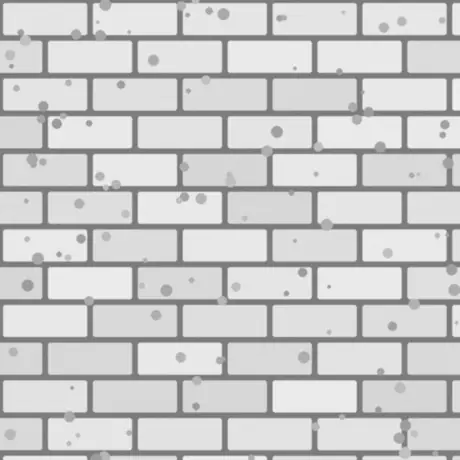
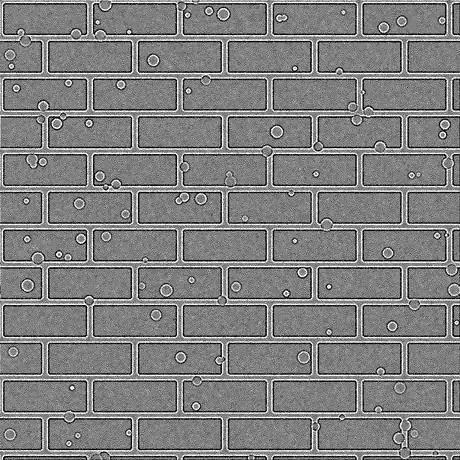
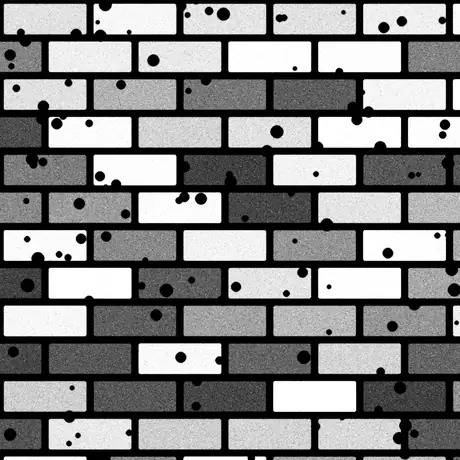
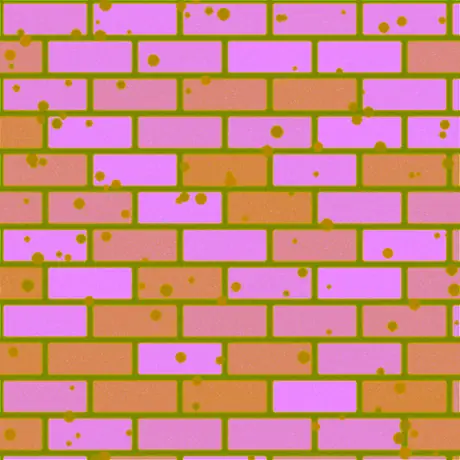
1枚のハイトマップから作られる8種類のうちの6種類です。ラフネスとスペキュラーも同時に生成されます — ただし既定の強度では、スペキュラーマップは高さの値をそのまま通すだけです。ORMはアンビエントオクルージョン、ラフネス、メタリックを1枚の画像の赤・緑・青チャンネルに詰め込んだもので、これがglTFの想定する並びです。
よくある用途
レンガ・石・タイル
撮影または描いたハイトマップをノーマルとAOマップに変換すれば、平らな壁や床が本物の石積みのように光を受けます — 追加のジオメトリは不要。
PNGからロゴやデカール
透過PNGをドロップすると、ノーマル・ラフネス・カーバチャが形状の浮き出たきれいな切り抜きとして出力され、別のマテリアルに重ねてすぐ使えます。
glTF向けのメタルラフ一式
Unity・Unreal・Godot・BlenderおよびglTF標準で使われるメタリック-ラフネス ワークフロー向けに、ノーマル・ラフネス・AOをまとめて書き出します。
エッジ摩耗と汚れのマスク
カーバチャとAOマップをシェーダーやテクスチャリングツールのマスクとして使い、エッジの傷やくぼみの汚れを表現します。
よくある質問
ブラウザでノーマルマップを作る際に最もよくある質問。
画像はどこかにアップロードされますか?
いいえ。ジェネレーターは画像をブラウザ内で直接読み込み、GPU上のWebGLでローカルに処理します。サーバーへは何も送信されないため、ページ読み込み後はオフラインでも動作します。
どのマップを生成できますか?
6種類:ノーマル、ディスプレイスメント、アンビエントオクルージョン、スペキュラー、ラフネス、カーバチャ。各マップに専用スライダーがあり、単体でも全部まとめてでも、PNG・JPG・WEBPのZIPでダウンロードできます。
速いですか?GPUを使いますか?
はい。すべてのマップはグラフィックカード上のWebGLフラグメントシェーダーで生成されるため、スライダーを動かすと各マップが数ミリ秒で更新されます — 4Kでも — 遅延もサーバー通信もありません。
透過(PNG)画像に対応していますか?
はい。透過は保持されます。生成された各マップは画像のアルファに一致するきれいな切り抜きになり、形状のシルエットが浮き出ます。PNGとWEBPは透過を保持し、JPGは白地に合成されます。
OpenGLとDirectXのノーマルマップの違いは?
緑(Y)チャンネルの向きが異なります。OpenGL (+Y) はUnity・Blender・glTFで、DirectX (-Y) はUnreal Engineや多くのゲームで使われます。必要なエンジンプリセットを選ぶか、Yを反転で切り替えてください。
Unity・Unreal・Blenderで使えますか?
はい。ノーマルマップはOpenGLとDirectXの両方式で出力され、ラフネスマップはUnity・Unreal・Godot・Blender・glTFのメタリック-ラフネス ワークフローに適合します。可逆品質にはPNGで書き出してください。
どんな画像から始めればよいですか?
グレースケールのハイトマップ(バンプマップ)が最良の結果になります。明るい部分が高く、暗い部分が低いとして扱われます。ディフューズテクスチャを入力すると輝度から高さを推定し、ぼかし/シャープとディテールフィルターで調整できます。
関連ツール
3Dビューア
STL・OBJ・GLBなどをスタジオ照明、アニメーション再生、高解像度レンダリングで開いて確認できます。
3Dファイル変換ツール
STL・OBJ・GLTF・GLB・PLY・FBX・USDZ をブラウザで相互変換。リグとアニメーションを保持します。