Free Online Photo Lithophane Maker — STL Export
What Is a Photo Lithophane?
A lithophane is a thin translucent panel whose thickness follows the brightness of a photograph — dark areas print thick and hold the light back, bright areas print thin and let it through. Seen flat it looks like a faint relief; lit from behind it resolves into a detailed image. Vextrude's lithophane maker turns any JPG or PNG into a print-ready STL entirely in your browser: pick from 22 shapes, add a frame, engraved text, a hanging hole or a stand, and watch the backlit result update live. Your photos are processed on your own device and are never uploaded to a server.
How It Works
Go from a photo to a print-ready STL in four steps — everything runs in your browser, so your images never leave your device and there is nothing to install.
Upload your photo
Drag in any JPG or PNG — or drop up to four at once and the maker arranges them into a collage. High-contrast portraits and landscapes give the sharpest results.
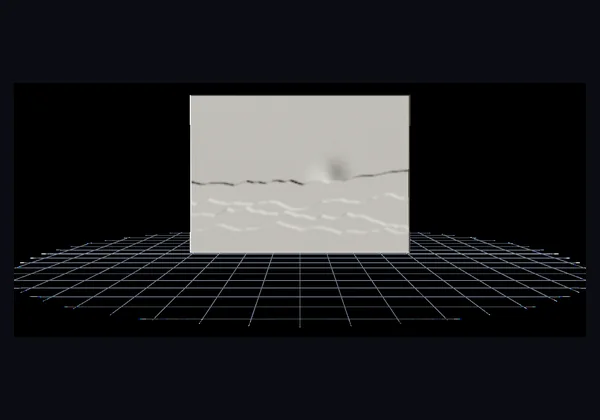
Pick a shape
Choose from 22 shapes — flat panel, heart, sphere, cylinder lamp, photo box and more. The 3D preview rebuilds instantly as you switch between them.
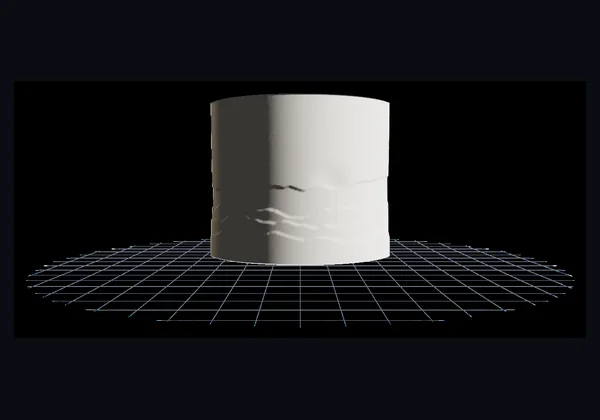
Personalise it
Set width, thickness and resolution, then add a frame or border, engraved or raised text, a hanging hole, a stand, or a light hole for an LED.
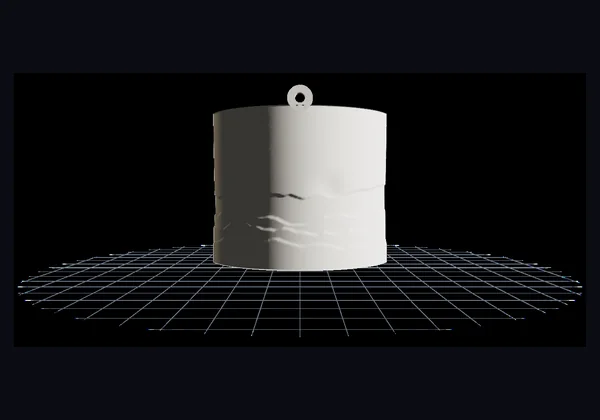
Export STL and print
Download the STL, slice with 0.08–0.12 mm layers and 100% infill, and print face-down in white PLA.
Everything in the Lithophane Maker
A complete photo-to-STL workflow with a live 3D preview, a realistic backlit simulation and a running print-cost estimate — all of it local to your browser.
22 print-ready shapes
Flat panels, curved arcs, hearts, circles, ovals, stars, hexagons, domes, spheres, cylinders, cones, vases, boxes and polygon lanterns — every one exports as a watertight, printable solid.
Frames & borders
Add a picture frame that insets the photo behind a raised band, or a border bead laid over the outer edge. Thickness, depth and bevel angle are all adjustable.
Engraved or raised text
Type a name, date or short message and place it at the top or bottom. Engraved text prints thin, so it glows brightest of all when the panel is backlit.
Hanging holes & stands
Three hanger styles — a printed tab, a loop bail, or a hole drilled clean through the panel — plus a fused base so a flat lithophane stands on a shelf by itself.
Lamp & night-light shapes
Wrap a photo around a cylinder, cone, vase or polygon lantern and open a light hole in the base for an LED tealight or bulb.
Photo collage layouts
Drop in up to four photos and the maker picks a layout to suit their orientation — side by side, stacked, or a four-up grid, with optional divider lines.
Backlit & heightmap preview
Switch the preview between the printed PLA look, a physically-based backlit glow, and a greyscale heightmap that shows exactly where the panel is thick.
Auto-enhance & background cutout
One click rebalances brightness, contrast and gamma for the tonal range a lithophane can actually print. Stencil mode cuts a white or transparent background away entirely.
Live cost & time estimate
Weight, filament length, print time and material cost are computed from the true solid volume of the mesh and update as you change the size or thickness.
Shapes
rendered in this tool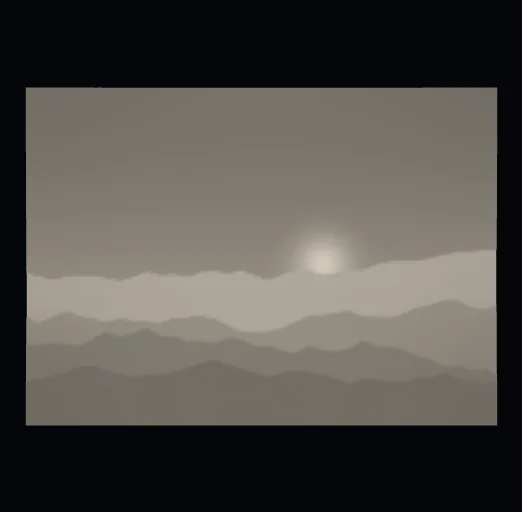
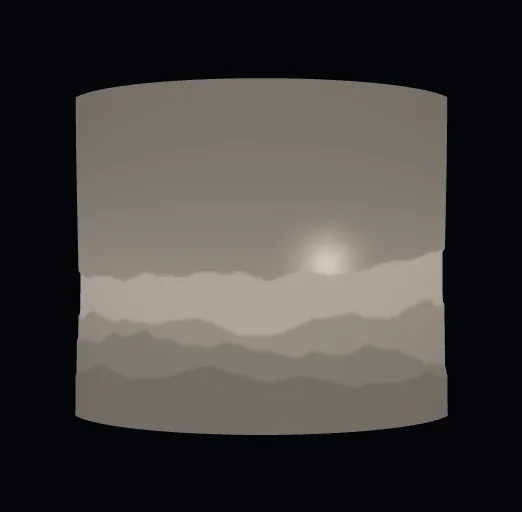
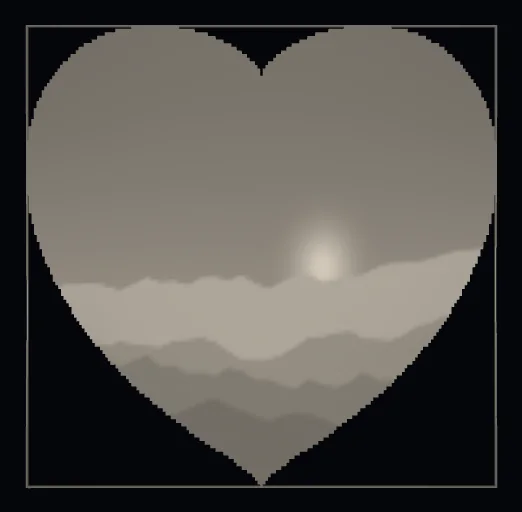
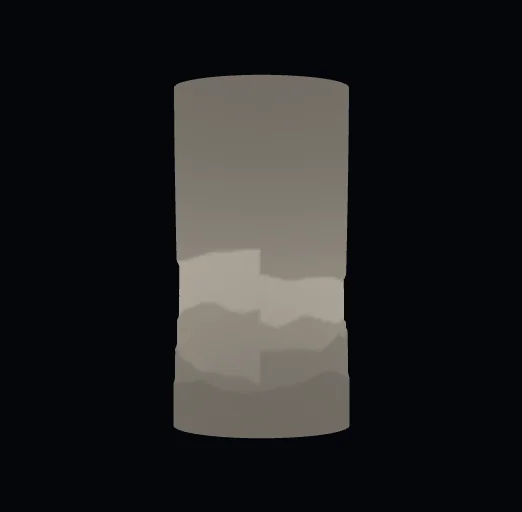
Four of the twenty-two shapes. The photo is remapped onto each surface, so a cylinder becomes a night-light shade and a heart keeps the subject centred. Each one exports as a closed STL.
22 Lithophane Shapes
Choose from flat, curved, sphere, dome, heart, wave, pillow, circle, oval, hexagon, star, cylinder, diamond, triangle, pentagon, squircle, cloud, dual panel, photo box, polygon lamp, cone and vase — each tuned for a different use: picture frames, night-light lamps, ornaments, keychains or keepsakes. Switch shapes live in the maker above.
Flat panel
Classic rectangular lithophane. Fits any picture frame with a backlight.
Curved arc
Gently curved surface for lamp shades and tealight wraps.
Sphere
Wraps your photo around a lit globe — great for ornaments.
Dome
Half-sphere for ceiling or flush-mount light fixtures.
Heart
Anniversary, wedding, and memorial gift favourite.
Wave
Undulating surface for decorative panels and modern art pieces.
Pillow
Quilted egg-crate surface with soft bumps in both directions — a sculpted, modern statement piece.
Circle & oval
Round and oval discs for coasters, medallions and portrait keepsakes.
Star & heart
Fun cut-out shapes for ornaments, keychains and gift tags.
Cylinder (night light)
Wraps your photo into a tube lamp with an open base for an LED.
Dual panel
Two hinged panels that stand on their own — one photo per side, fold angle adjustable.
Cone (lampshade)
Tapered tube with an adjustable top opening — a classic photo lampshade.
Vase
Curvy neck-belly-base profile of revolution — an elegant lit centrepiece.
Photo box
Four flat faces wrapped into a box — pair with the collage layouts for a photo per side.
Polygon lamp
A 5–12 sided prism lantern with flat photo facets, ready for an LED base.
Hexagon, diamond & more
Geometric panels — hexagon, diamond, triangle, pentagon, squircle, cloud, dual panel, photo box, polygon lamp, cone and vase.
The Complete Lithophane Printing Guide
How a flat panel turns into a photograph, and the settings that decide whether it looks sharp or muddy.
How a lithophane works
Light passing through plastic is absorbed in proportion to how far it has to travel — the Beer-Lambert law. By printing every pixel of a photo at a thickness derived from its brightness, the panel reproduces the whole tonal range in solid PLA. Nothing is printed in colour; the image only exists once light is behind it.
Thickness and contrast
The gap between the thinnest and thickest wall is what sets contrast. The defaults — 0.6 mm minimum, 3.0 mm maximum — suit most photos and most LED backlights. Widen the range for a punchier, higher-contrast image that needs a brighter light; narrow it for a softer look that reads well on a dim tealight.
Thickness and contrast
rendered in this tool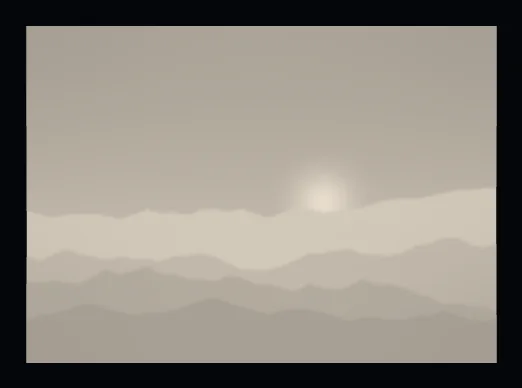
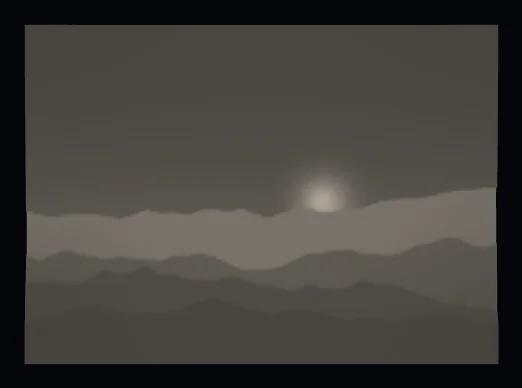
The same photo at two maximum thicknesses. A thicker panel blocks more light, so the dark tones deepen and contrast rises — at the cost of print time and filament. A thin panel is brighter but flatter.
Resolution and layer height
Resolution sets how many samples are taken across the long edge of the photo, and therefore how fine the relief is. 180 is fast for testing; 260–320 is where portraits start to look photographic. There is no point sampling finer than your printer can resolve, so pair a high resolution with a 0.08–0.12 mm layer height.
Choosing a filament
White PLA is the standard choice: it diffuses light evenly and holds sharp contrast. Natural, uncoloured PLA transmits slightly more light and gives a warmer result. Translucent PETG works but is fussier to print at 100% infill. Avoid dark or heavily pigmented filaments — they block the light the image depends on.
Orientation and supports
Print flat shapes face-down on the plate. The build surface gives the front of the panel its smoothest finish, no supports are needed, and layer lines run across the relief rather than through it. Curved, cylinder and cone shapes print upright on their base; spheres and domes need a brim rather than supports.
Backlighting your lithophane
An even, diffuse light source is worth more than a bright one. LED tealights, picture-frame light panels and warm-white strips all work well; a single bare bulb creates a hotspot. Keep 15–25 mm between the light and the panel so the illumination spreads before it reaches the relief.
Lit from behind
rendered in this tool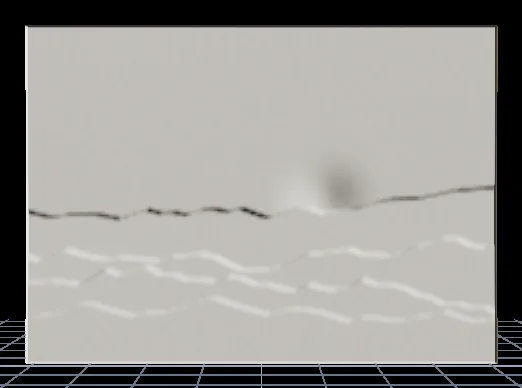
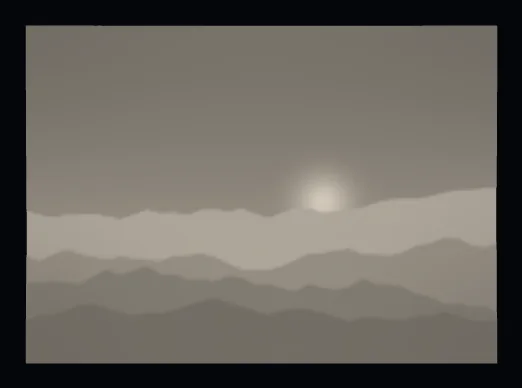
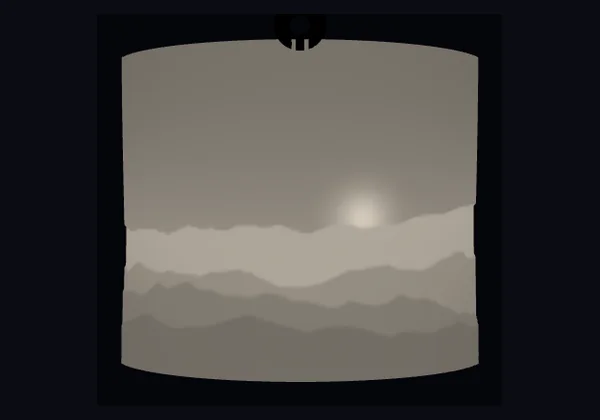
A lithophane is a panel of varying thickness. Unlit it reads as a pale blank slab; light it from behind and the thin areas pass more light than the thick ones, and the photo appears. That is why the preview has a backlit mode — judging one under room light tells you almost nothing.
Best 3D Print Settings for Lithophanes
Lithophanes live or die on their surface detail. These are the slicer settings that consistently produce sharp, evenly lit prints in white PLA on any FDM printer.
Fine layers capture the smooth tonal gradients that make a photo readable when backlit. 0.08 mm is worth the extra print time for portraits.
Full infill blocks stray light from leaking between the relief and the back wall, keeping shadows crisp and tones even across the whole panel.
White PLA diffuses light more evenly than any other common filament. Natural PLA and translucent PETG also work — avoid dark colours, which block the light.
Print flat panels image-side down on the plate — no supports, the smoothest front surface, and the relief detail hidden from any print lines. Curved and cylinder shapes print upright.
Slow, steady printing reduces ringing and ghosting on the fine relief. Turn off ironing — it smears the tonal detail lithophanes rely on.
A standard 0.4 mm nozzle resolves the detail you need. Three or more perimeters keep the side and back walls watertight and fully opaque.
Which Photos Make the Best Lithophanes?
A lithophane can only be as good as the photo behind it. Pick images with these qualities and the backlit result will be sharp and full of depth.
Strong contrast
Photos with a clear range from bright highlights to deep shadows translate into crisp thickness differences. Flat, washed-out images look muddy when lit. Nudge the Contrast slider if a photo needs help.
Good, soft lighting
Evenly lit subjects with gentle shadows read best. Harsh, blown-out flash or very dark photos lose detail in the extremes. Front-lit portraits and daylight landscapes are ideal.
A clean subject
Busy backgrounds compete with the subject and clutter the panel. Crop in close with the zoom and pan controls so the face or focal point fills the frame.
Enough resolution
Use an image at least 1000 px on the shorter side. At a lithophane resolution of 260–320 there's plenty of detail to work with, and a larger source keeps edges from looking pixelated.
Lithophane Gift Ideas & Uses
A printed photo that glows to life when you switch on a light makes a thoughtful, personal gift. Here are some of the most popular ways people use the Vextrude lithophane maker.
Anniversary & wedding
A heart or dome panel with the couple's names and date engraved along the bottom — a keepsake that lights up on the mantel or bedside table.
Memorial keepsakes
A softly backlit portrait makes a gentle, lasting tribute. Add a name and dates in engraved text so it glows brightest where it matters.
Night lights & lamps
Use the cylinder or sphere shape with a light hole and drop in an LED tealight or bulb. The photo wraps the shade and glows warmly when lit.
Pet portraits
Turn a favourite photo of a dog, cat or horse into a glowing keepsake. High-contrast fur and a clean background print beautifully.
Baby & family
New-baby announcements, family portraits and first-birthday gifts. Pair a circle or squircle panel with a small stand for the shelf.
Keychains & ornaments
Shrink a heart, star or circle to about 40–50 mm, add a hanging loop, and print a pocket-sized lithophane charm, gift tag or tree ornament.
Lithophane FAQ
Answers to the most common questions about making, sizing and printing photo lithophanes. Tap any question to expand it.
What is a photo lithophane?
A lithophane is a thin 3D-printed panel that reveals a photograph when backlit. Variations in the panel's thickness create the light and shadow that form the image.
How thick should a lithophane be?
Most printed lithophanes are between 2.4 mm and 3.2 mm thick. Thinner panels let more light through but lose detail; thicker panels have crisper shadows but need stronger backlighting. Set the Max thickness slider to control this.
What resolution should I use?
180–320 is the sweet spot in Vextrude. Lower values export faster but look pixelated. Higher values produce larger STL files but print almost photographic detail with a 0.12 mm layer height.
Which lithophane shapes can I make?
Vextrude supports 22 shapes: flat, curved, sphere, dome, heart, wave, pillow, circle, oval, hexagon, star, cylinder, diamond, triangle, pentagon, squircle, cloud, dual panel, photo box, polygon lamp, cone and vase. Switch between them instantly and the 3D preview updates live.
Can I add text or a name to my lithophane?
Yes. Open the Text panel and type any name, date or short message. Choose engraved (recessed, so it glows brightly when backlit) or raised, and place it at the top or bottom. It's ideal for personalised anniversary, wedding and memorial gifts.
Can I make a lithophane lamp or night light?
Yes. Pick the Cylinder or Sphere shape and turn on Light hole to open a base for an LED — the photo wraps around and glows when lit. The curved and dome shapes also make great lamp shades and tealight wraps.
Can I make a lithophane keychain or ornament?
Yes. Choose a small shape such as heart, circle or star, set the width to about 40–50 mm, and add a hanging hole — a tab, a loop bail or a drilled hole. Export the STL and print for a keychain, ornament or gift tag.
How do I make a heart lithophane?
Select the Heart shape and upload your photo — it fits undistorted inside the heart silhouette. Optionally add a raised heart border, an engraved name and a hanging loop, then export the STL and print in white PLA.
What material should I print a lithophane with?
White PLA is the most popular choice. It diffuses light evenly and shows sharp contrast when backlit. Natural (uncoloured) PLA and translucent PETG also work. Avoid dark filaments — they block too much light.
Which 3D-printer settings work best?
Use a 0.4 mm nozzle with a 0.08–0.12 mm layer height, 100% infill, and print slowly (about 30 mm/s). Turn off ironing and avoid supports — lithophanes print best face-down on the build plate.
How much does a lithophane cost to print?
Very little — most small photo lithophanes use only a few grams of filament, so material costs are usually well under a dollar. Vextrude shows a live estimate of the weight, filament length, print time and cost right under the 3D preview as you adjust the size and thickness. A typical 100 mm panel is around 15–25 g of white PLA.
Do I need to sign up or pay?
No. Vextrude's lithophane maker is free, runs entirely in your browser, and never uploads your photos to a server.
Can I use the lithophane as a gift?
Absolutely. Heart and dome shapes make popular anniversary, wedding and memorial gifts. Pair the printed panel with a small LED tealight or picture-frame backlight.
Want a deeper walkthrough?
Read our complete 2026 guide — from photo selection to slicer settings.
Read the guideRelated Tools
More free browser-based 3D tools from Vextrude — turn vectors, text and links into printable STL models.