Déposez un height map pour commencer
Qu'est-ce que le générateur de cartes normales ?
Un générateur de cartes normales en ligne gratuit qui fonctionne entièrement dans votre navigateur. Déposez un height map et il produit six cartes PBR — normale, déplacement, occlusion ambiante, spéculaire, rugosité et courbure — en temps réel sur votre GPU, avec un aperçu 3D. Vos images sont traitées localement sur votre appareil et ne sont jamais envoyées à un serveur.
Comment créer une carte normale en ligne
Du height map à un jeu PBR complet en quatre étapes — sans compte, sans installation, sans envoi.
Importez un height map
Glissez un height map en niveaux de gris ou n'importe quelle texture, ou cliquez pour parcourir (PNG, JPG, WEBP). Les PNG transparents sont pris en charge.
Réglez les cartes
Chaque carte a son propre curseur en direct — intensité, flou/netteté, AO, spéculaire, déplacement, rugosité et courbure.
Aperçu en 3D
Voyez le matériau se mettre à jour instantanément sur un plan, une sphère, un cube ou un cylindre, ou inspectez chaque carte avec panoramique et zoom.
Télécharger
Enregistrez une carte ou tout le jeu en ZIP — PNG, JPG ou WEBP, transparence conservée.
De la carte de hauteur à la carte normale
rendu dans cet outil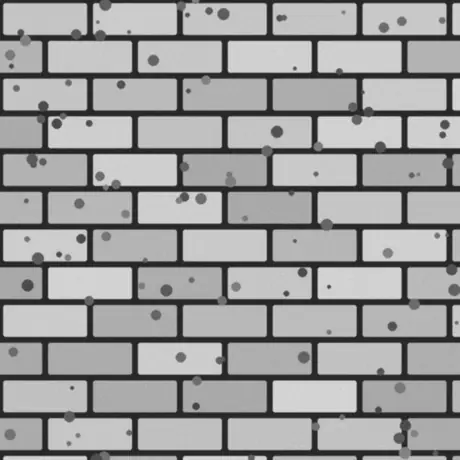
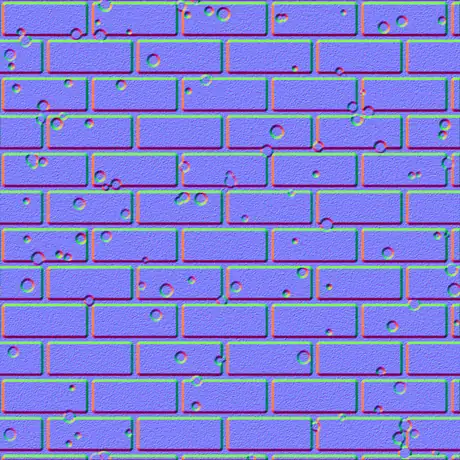
Une carte de hauteur en niveaux de gris en entrée, une carte normale en espace tangent en sortie. Les pixels clairs sont lus comme hauts, les sombres comme bas ; le générateur transforme cette pente en canaux rouge et vert qu’un shader échantillonne. Tout tourne sur votre GPU et l’image ne quitte jamais le navigateur.
Pourquoi utiliser ce générateur de cartes normales
La plupart des générateurs en ligne envoient votre texture et la traitent lentement sur un serveur. Celui-ci fonctionne sur votre GPU, dans le navigateur, et ne perd rien.
Rien n'est envoyé
L'image est lue directement depuis le disque et traitée localement avec WebGL. Rien n'est transmis, donc ça fonctionne même hors réseau.
En temps réel sur votre GPU
Chaque carte est générée avec des fragment shaders : déplacer un curseur met à jour les six cartes en quelques millisecondes, même en 4K.
Six cartes, toutes réglables
Normale, déplacement, occlusion ambiante, spéculaire, rugosité et courbure — chacune a son propre contrôle en direct.
La transparence reste détourée
Déposez un PNG avec canal alpha et chaque carte ressort en détourage net avec la silhouette en relief — idéal pour les décalcomanies et les sprites.
Sortie prête pour les moteurs
Normales OpenGL (+Y) ou DirectX (-Y), détail Sobel ou Scharr, flou et netteté, plus une carte de rugosité metal-rough pour glTF, Unity et Unreal.
Gratuit, sans inscription
Aucun compte, aucun filigrane et aucune limite de taille au-delà de ce que votre appareil peut garder en mémoire.
Les six cartes qu'il produit
Une seule height map produit un matériau complet basé sur la physique : une normal map, une displacement map, une map d’occlusion ambiante et trois autres. Voici ce qu’est chacune et à quoi elle sert.
| Carte | Ce que c'est | Idéal pour |
|---|---|---|
| Normale | Directions RGB en espace tangent, OpenGL (+Y) ou DirectX (-Y). | Simuler le détail de surface sous éclairage en temps réel. |
| Déplacement | Données de hauteur à contraste réglable. | Déplacement de géométrie réel, tessellation ou parallaxe. |
| Occlusion ambiante | Ombres de contact douces dans les creux. | Ombrage crédible et ancré dans les cavités. |
| Spéculaire | Là où la surface capte la lumière, dérivé de la hauteur. | Anciens flux d'ombrage spéculaire / gloss. |
| Rugosité | Micro-rugosité à partir du détail local de la surface. | Le flux metallic-roughness dans glTF, Unity, Unreal. |
| Courbure | Carte de cavité convexe/concave — bords clairs, creux sombres. | Usure des bords, saleté et génération de masques. |
Des cartes depuis une seule image
rendu dans cet outil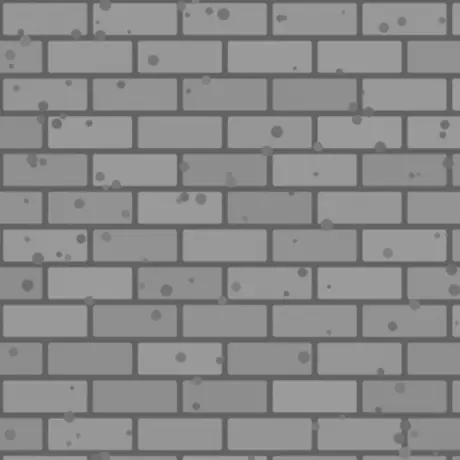
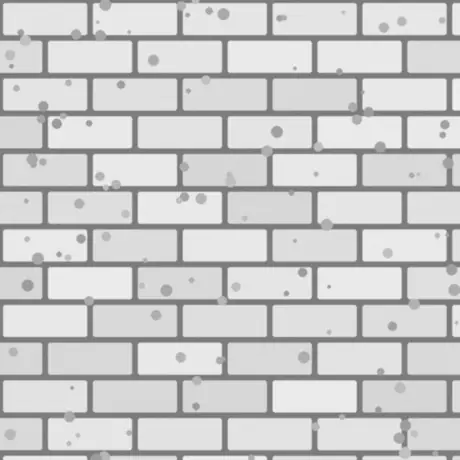
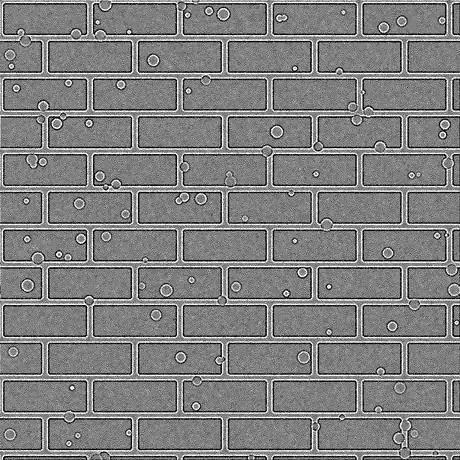
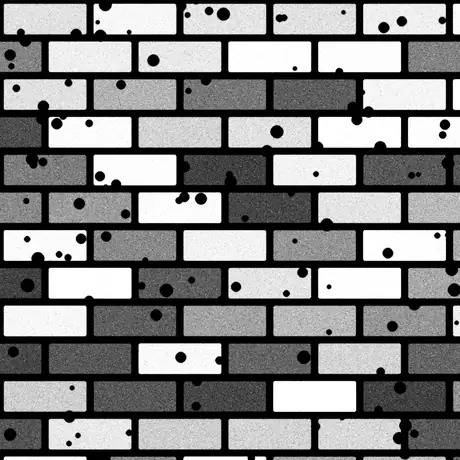
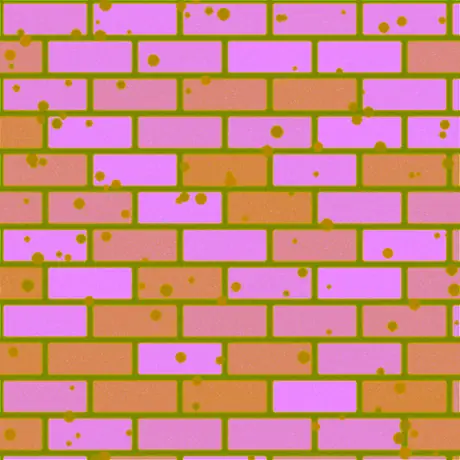
Six des huit cartes dérivées de cette seule carte de hauteur. La rugosité et une carte spéculaire sont également produites — à son intensité par défaut, la carte spéculaire laisse passer les valeurs de hauteur telles quelles. ORM empile occlusion ambiante, rugosité et métallicité dans les canaux rouge, vert et bleu d’une même image, la disposition qu’attend glTF.
Utilisations courantes
Briques, pierre et carrelage
Transformez un height map photographié ou peint en carte normale et AO pour que murs et sols plats accrochent la lumière comme de la vraie maçonnerie — sans géométrie supplémentaire.
Logos et décalcomanies à partir d'un PNG
Déposez un PNG transparent et les cartes normale, rugosité et courbure ressortent en détourages nets avec la forme en relief, prêtes à superposer sur un autre matériau.
Un jeu metal-rough pour glTF
Exportez normale, rugosité et AO ensemble pour le flux metallic-roughness utilisé par Unity, Unreal, Godot, Blender et le standard glTF.
Masques d'usure des bords et de saleté
Utilisez les cartes de courbure et d'AO comme masques dans votre shader ou outil de texturing pour créer des rayures sur les bords et de la crasse dans les creux.
Foire aux questions
Les questions les plus fréquentes sur la création de cartes normales dans un navigateur.
Mes images sont-elles envoyées quelque part ?
Non. Le générateur lit votre image directement dans le navigateur et la traite localement avec WebGL sur votre GPU. Rien n'est envoyé à un serveur, c'est pourquoi il continue de fonctionner hors ligne une fois la page chargée.
Quelles cartes puis-je générer ?
Six : normale, déplacement, occlusion ambiante, spéculaire, rugosité et courbure. Chacune a son curseur, et vous pouvez télécharger une carte ou tout le jeu d'un coup en ZIP, en PNG, JPG ou WEBP.
Est-ce rapide ? Utilise-t-il mon GPU ?
Oui. Toutes les cartes sont générées avec des fragment shaders WebGL sur votre carte graphique : déplacer un curseur met à jour chaque carte en quelques millisecondes — même en 4K — sans latence ni aller-retour serveur.
Fonctionne-t-il avec des images transparentes (PNG) ?
Oui. La transparence est conservée : chaque carte générée devient un détourage net correspondant à l'alpha de votre image, avec la silhouette en relief. PNG et WEBP conservent la transparence ; le JPG est aplati sur du blanc.
Quelle est la différence entre les cartes normales OpenGL et DirectX ?
Ils diffèrent par la direction du canal vert (Y). OpenGL (+Y) est utilisé par Unity, Blender et glTF ; DirectX (-Y) par Unreal Engine et de nombreux jeux. Choisissez le préréglage moteur voulu, ou inversez avec Inverser Y.
Puis-je les utiliser dans Unity, Unreal ou Blender ?
Oui. La carte normale existe en conventions OpenGL et DirectX, et la carte de rugosité convient au flux metallic-roughness utilisé par Unity, Unreal, Godot, Blender et glTF. Exportez en PNG pour une qualité sans perte.
Avec quelle image commencer ?
Un height map en niveaux de gris (bump map) donne le meilleur résultat : les zones claires sont hautes et les sombres basses. Vous pouvez aussi fournir une texture diffuse et l'outil estimera la hauteur d'après la luminance, puis ajustez avec Flou/Netteté et le filtre de détail.
Outils associés
Visionneuse 3D
Ouvrez et inspectez STL, OBJ, GLB et plus, avec éclairage studio, lecture d'animations et rendus haute résolution.
Convertisseur de fichiers 3D
Convertissez entre STL, OBJ, GLTF, GLB, PLY, FBX et USDZ dans le navigateur, rigs et animations conservés.