Suelta un height map para empezar
¿Qué es el Generador de Mapas Normales?
Un generador de mapas normales online gratis que funciona por completo en tu navegador. Suelta un height map y produce seis mapas PBR — normal, desplazamiento, oclusión ambiental, especular, rugosidad y curvatura — en tiempo real en tu GPU, con vista previa 3D. Tus imágenes se procesan localmente en tu dispositivo y nunca se envían a un servidor.
Cómo crear un mapa normal en línea
De height map a un conjunto PBR completo en cuatro pasos: sin cuenta, sin instalación, sin subidas.
Sube un height map
Arrastra un height map en escala de grises o cualquier textura, o haz clic para explorar (PNG, JPG, WEBP). Se admiten PNG con transparencia.
Ajusta los mapas
Cada mapa tiene su propio deslizador en vivo: intensidad, desenfoque/nitidez, AO, especular, desplazamiento, rugosidad y curvatura.
Vista previa en 3D
Ve cómo el material se actualiza al instante en un plano, esfera, cubo o cilindro, o inspecciona cualquier mapa con paneo y zoom.
Descargar
Guarda un mapa o todo el conjunto como ZIP — PNG, JPG o WEBP, conservando la transparencia.
De mapa de altura a mapa normal
renderizado en esta herramienta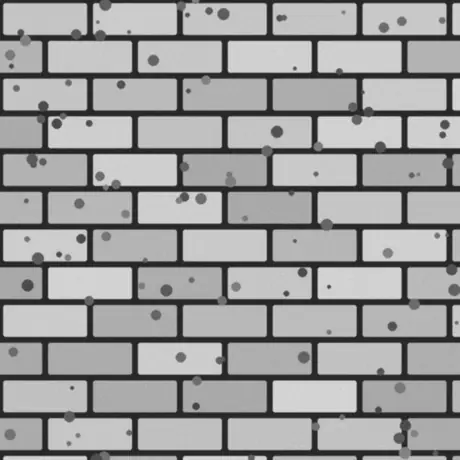
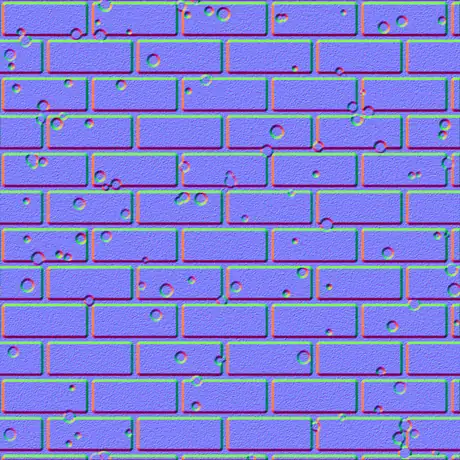
Entra un mapa de altura en escala de grises y sale un mapa normal en espacio tangente. Los píxeles claros se leen como altos y los oscuros como bajos; el generador convierte esa pendiente en los canales rojo y verde que muestrea un shader. Todo corre en tu GPU y la imagen nunca sale del navegador.
Por qué usar este generador de mapas normales
La mayoría de los generadores online suben tu textura y la procesan lentamente en un servidor. Este funciona en tu GPU, en el navegador, y lo conserva todo.
Nada se sube
La imagen se lee directamente del disco y se procesa localmente con WebGL. Nada se transmite, así que sigue funcionando sin red.
En tiempo real en tu GPU
Cada mapa se genera con fragment shaders, así que mover un deslizador actualiza los seis mapas en pocos milisegundos, incluso a 4K.
Seis mapas, cada uno ajustable
Normal, desplazamiento, oclusión ambiental, especular, rugosidad y curvatura: cada uno con su propio control en vivo.
La transparencia se mantiene recortada
Suelta un PNG con canal alfa y cada mapa sale como un recorte limpio con la silueta en relieve, ideal para calcomanías y sprites.
Salida lista para motores
Normales OpenGL (+Y) o DirectX (-Y), detalle Sobel o Scharr, desenfoque y nitidez, más un mapa de rugosidad metal-rough para glTF, Unity y Unreal.
Gratis, sin registro
Sin cuenta, sin marca de agua y sin límite de tamaño más allá de lo que tu dispositivo pueda mantener en memoria.
Los seis mapas que produce
Un solo height map genera un material completo basado en física: un normal map, un displacement map, un mapa de oclusión ambiental y tres más. Esto es lo que es cada uno y para qué se usa.
| Mapa | Qué es | Ideal para |
|---|---|---|
| Normal | Direcciones RGB en espacio tangente, OpenGL (+Y) o DirectX (-Y). | Simular detalle de superficie con iluminación en tiempo real. |
| Desplazamiento | Datos de altura con contraste ajustable. | Desplazamiento de geometría real, teselado o parallax. |
| Oclusión ambiental | Sombras de contacto suaves en las grietas. | Sombreado creíble y anclado en las cavidades. |
| Especular | Dónde la superficie capta la luz, derivado de la altura. | Flujos de sombreado especular/gloss más antiguos. |
| Rugosidad | Microrrugosidad a partir del detalle local de la superficie. | El flujo metallic-roughness en glTF, Unity, Unreal. |
| Curvatura | Mapa de cavidad convexo/cóncavo: bordes claros, grietas oscuras. | Desgaste de bordes, suciedad y generación de máscaras. |
Mapas a partir de una imagen
renderizado en esta herramienta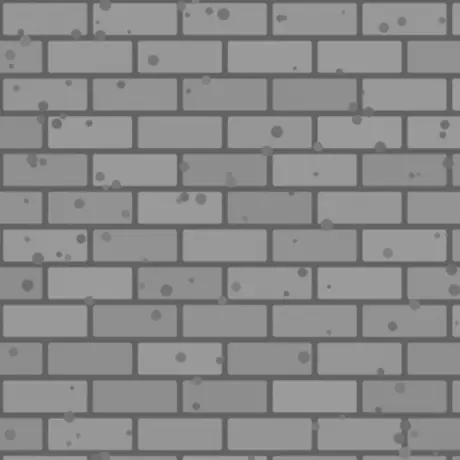
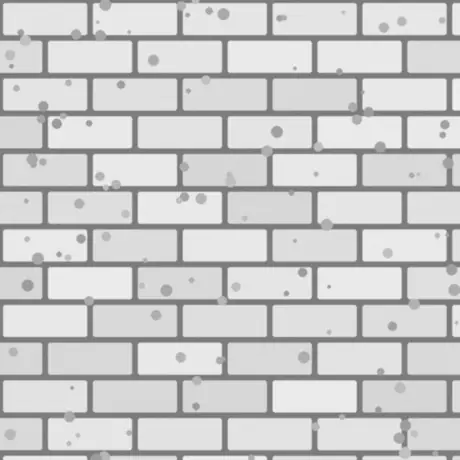
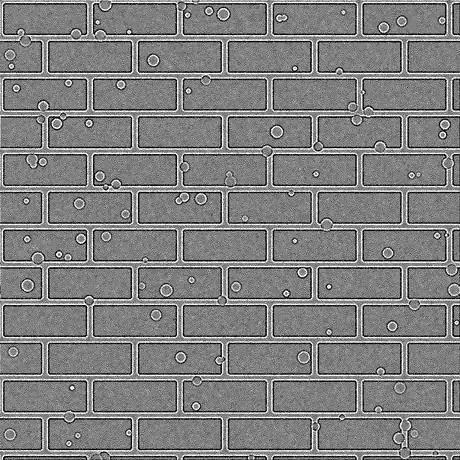
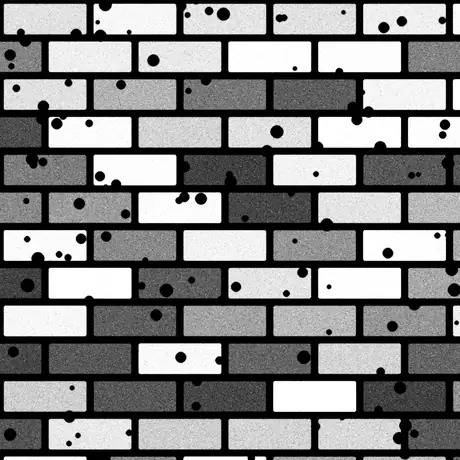
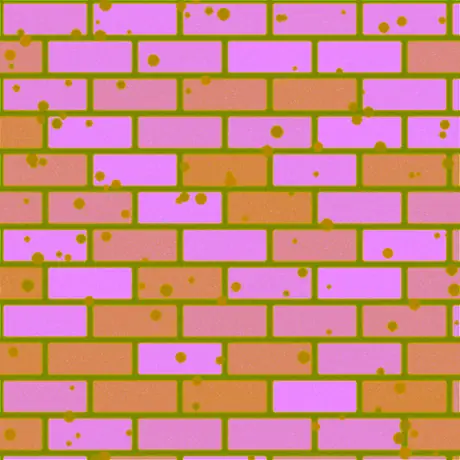
Seis de los ocho mapas derivados de ese único mapa de altura. También se generan rugosidad y un mapa especular: con su intensidad por defecto, el mapa especular deja pasar los valores de altura sin cambios. ORM empaqueta oclusión ambiental, rugosidad y metalicidad en los canales rojo, verde y azul de una sola imagen, que es la disposición que espera glTF.
Usos habituales
Ladrillos, piedra y azulejos
Convierte un height map fotografiado o pintado en un mapa normal y de AO para que muros y suelos planos capten la luz como mampostería real, sin geometría adicional.
Logotipos y calcomanías desde un PNG
Suelta un PNG transparente y los mapas normal, de rugosidad y de curvatura salen como recortes limpios con la forma en relieve, listos para superponer sobre otro material.
Un conjunto metal-rough para glTF
Exporta normal, rugosidad y AO juntos para el flujo metallic-roughness que usan Unity, Unreal, Godot, Blender y el estándar glTF.
Máscaras de desgaste de bordes y suciedad
Usa los mapas de curvatura y AO como máscaras en tu shader o herramienta de texturizado para generar arañazos en los bordes y mugre en las grietas.
Preguntas frecuentes
Las preguntas más habituales sobre crear mapas normales en el navegador.
¿Se suben mis imágenes a algún sitio?
No. El generador lee tu imagen directamente en el navegador y la procesa localmente con WebGL en tu GPU. Nada se envía a un servidor, por eso también sigue funcionando sin conexión una vez cargada la página.
¿Qué mapas puedo generar?
Seis: normal, desplazamiento, oclusión ambiental, especular, rugosidad y curvatura. Cada uno tiene su deslizador, y puedes descargar un mapa o todo el conjunto de una vez como ZIP, en PNG, JPG o WEBP.
¿Es rápido? ¿Usa mi GPU?
Sí. Todos los mapas se generan con fragment shaders de WebGL en tu tarjeta gráfica, así que mover un deslizador actualiza cada mapa en pocos milisegundos, incluso a 4K, sin retardo ni ida y vuelta al servidor.
¿Funciona con imágenes transparentes (PNG)?
Sí. La transparencia se conserva: cada mapa generado se convierte en un recorte limpio que coincide con el alfa de tu imagen, con la silueta en relieve. PNG y WEBP conservan la transparencia; JPG se aplana sobre blanco.
¿Cuál es la diferencia entre los mapas normales OpenGL y DirectX?
Se diferencian en la dirección del canal verde (Y). OpenGL (+Y) lo usan Unity, Blender y glTF; DirectX (-Y) lo usan Unreal Engine y muchos juegos. Elige el preajuste de motor que necesites o inviértelo con Invertir Y.
¿Puedo usarlos en Unity, Unreal o Blender?
Sí. El mapa normal viene en convenciones OpenGL y DirectX, y el mapa de rugosidad se adapta al flujo metallic-roughness que usan Unity, Unreal, Godot, Blender y glTF. Exporta como PNG para calidad sin pérdidas.
¿Con qué imagen debo empezar?
Un height map en escala de grises (bump map) da el mejor resultado: las zonas claras se tratan como altas y las oscuras como bajas. También puedes usar una textura difusa y la herramienta estimará la altura a partir de la luminancia; luego ajusta con Desenfoque/Nitidez y el filtro de detalle.
Herramientas relacionadas
Visor 3D
Abre e inspecciona STL, OBJ, GLB y más con iluminación de estudio, reproducción de animaciones y renders de alta resolución.
Conversor de archivos 3D
Convierte entre STL, OBJ, GLTF, GLB, PLY, FBX y USDZ en el navegador, conservando rigs y animaciones.