Перетащите карту высот, чтобы начать
Что такое генератор карт нормалей?
Бесплатный онлайн-генератор карт нормалей, который работает полностью в вашем браузере. Перетащите карту высот, и он создаст шесть PBR-карт — нормалей, смещения, окклюзии, бликов, шероховатости и кривизны — в реальном времени на вашем GPU, с 3D-предпросмотром. Ваши изображения обрабатываются локально на устройстве и никогда не отправляются на сервер.
Как сделать карту нормалей онлайн
От карты высот к полному набору PBR за четыре шага — без аккаунта, установки и загрузок.
Загрузите карту высот
Перетащите карту высот в оттенках серого или любую текстуру либо нажмите для выбора (PNG, JPG, WEBP). Поддерживаются прозрачные PNG.
Настройте карты
У каждой карты свой живой ползунок — сила, размытие/резкость, AO, блики, смещение, шероховатость и кривизна.
Предпросмотр в 3D
Смотрите, как материал мгновенно обновляется на плоскости, сфере, кубе или цилиндре, или изучайте любую карту с панорамированием и масштабом.
Скачать
Сохраните одну карту или весь набор в ZIP — PNG, JPG или WEBP, с сохранением прозрачности.
От карты высот к карте нормалей
отрисовано в этом инструменте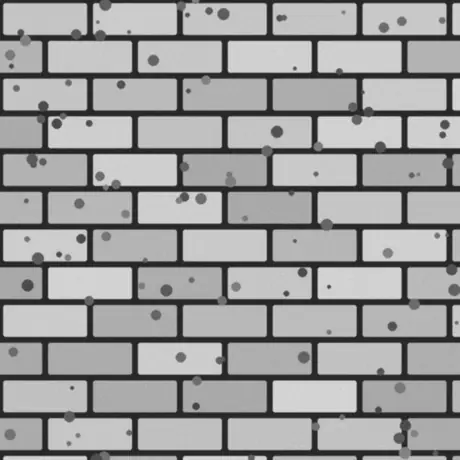
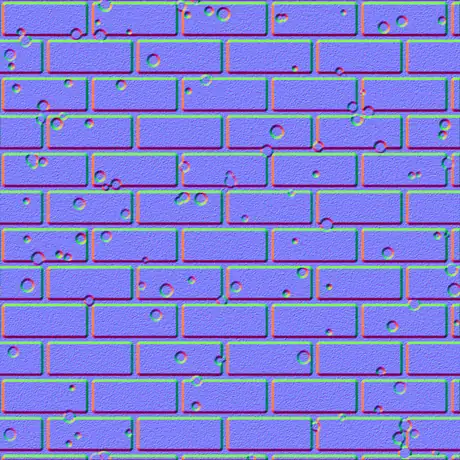
На входе — карта высот в оттенках серого, на выходе — карта нормалей в касательном пространстве. Светлые пиксели читаются как возвышения, тёмные как впадины; генератор превращает этот наклон в красный и зелёный каналы, которые считывает шейдер. Всё считается на вашем GPU, изображение не покидает браузер.
Почему стоит выбрать этот генератор карт нормалей
Большинство онлайн-генераторов загружают вашу текстуру и медленно обрабатывают её на сервере. Этот работает на вашем GPU, в браузере, и ничего не теряет.
Ничего не загружается
Изображение читается прямо с диска и обрабатывается локально с помощью WebGL. Ничего не передаётся, поэтому работает и без сети.
В реальном времени на вашем GPU
Каждая карта создаётся фрагментными шейдерами, поэтому перемещение ползунка обновляет все шесть карт за миллисекунды — даже в 4K.
Шесть карт, каждая настраивается
Нормали, смещение, окклюзия, блики, шероховатость и кривизна — у каждой свой живой регулятор.
Прозрачность сохраняется как вырез
Перетащите PNG с альфа-каналом, и каждая карта получится аккуратным вырезом с рельефным силуэтом — идеально для декалей и спрайтов.
Готово для игровых движков
Нормали OpenGL (+Y) или DirectX (-Y), детализация Sobel или Scharr, размытие и резкость, плюс карта шероховатости metal-rough для glTF, Unity и Unreal.
Бесплатно, без регистрации
Ни аккаунта, ни водяного знака, ни ограничения размера файла — только память вашего устройства.
Шесть создаваемых карт
Одна height map даёт полный физически корректный материал — normal map, displacement map, карту ambient occlusion и ещё три. Ниже описано, что представляет собой каждая и где она применяется.
| Карта | Что это | Лучше всего для |
|---|---|---|
| Нормаль | RGB-направления в касательном пространстве, OpenGL (+Y) или DirectX (-Y). | Имитация деталей поверхности при освещении в реальном времени. |
| Смещение | Данные высот с регулируемым контрастом. | Реальное смещение геометрии, тесселяция или параллакс. |
| Окклюзия | Мягкие контактные тени в углублениях. | Убедительное затенение во впадинах. |
| Блики | Где поверхность ловит свет, вычисляется из высоты. | Устаревшие процессы specular/gloss. |
| Шероховатость | Микрошероховатость из локальных деталей поверхности. | Процесс metallic-roughness в glTF, Unity, Unreal. |
| Кривизна | Карта полостей выпуклостей/вогнутостей — светлые края, тёмные впадины. | Износ кромок, грязь и создание масок. |
Карты из одного изображения
отрисовано в этом инструменте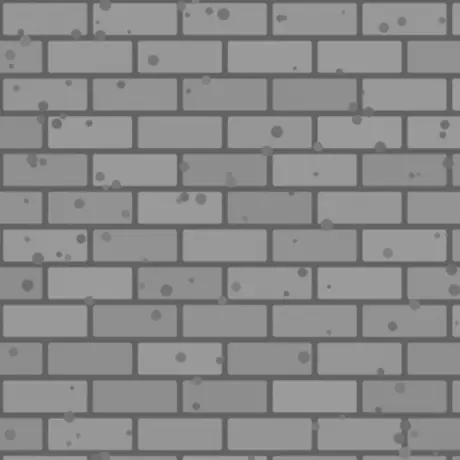
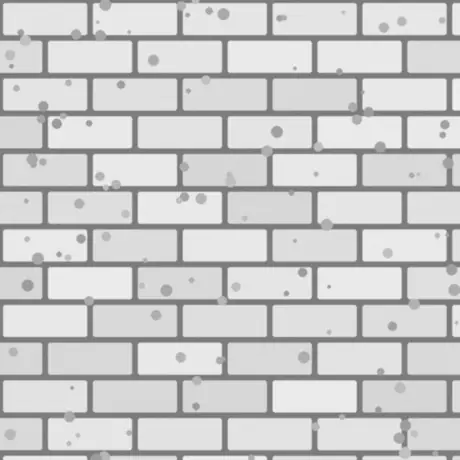
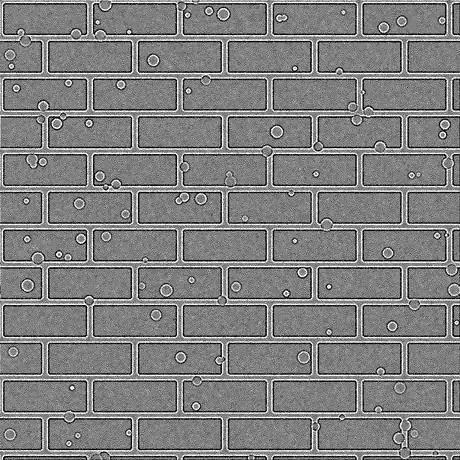
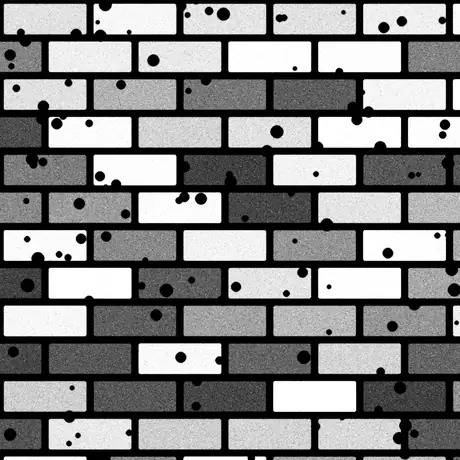
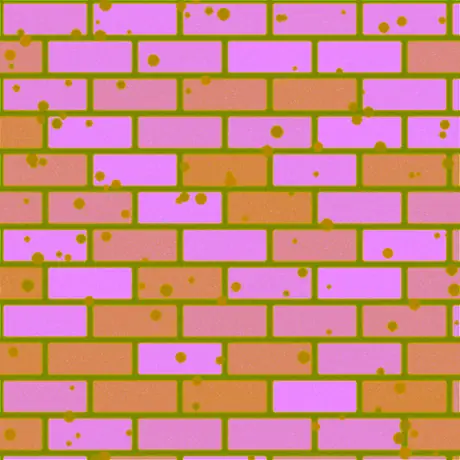
Шесть из восьми карт, полученных из одной карты высот. Шероховатость и карта бликов создаются тоже — но при стандартной силе карта бликов пропускает значения высот без изменений. ORM упаковывает окклюзию, шероховатость и металличность в красный, зелёный и синий каналы одного изображения — именно такую раскладку ожидает glTF.
Частые применения
Кирпич, камень и плитка
Превратите сфотографированную или нарисованную карту высот в карту нормалей и AO, чтобы плоские стены и полы ловили свет как настоящая кладка — без дополнительной геометрии.
Логотипы и декали из PNG
Перетащите прозрачный PNG, и карты нормалей, шероховатости и кривизны получатся аккуратными вырезами с рельефной формой, готовыми накладываться на другой материал.
Набор metal-rough для glTF
Экспортируйте нормали, шероховатость и AO вместе для процесса metallic-roughness в Unity, Unreal, Godot, Blender и стандарте glTF.
Маски износа кромок и грязи
Используйте карты кривизны и AO как маски в шейдере или инструменте текстурирования, чтобы задавать царапины на кромках и грязь во впадинах.
Частые вопросы
Самые частые вопросы о создании карт нормалей в браузере.
Мои изображения куда-нибудь загружаются?
Нет. Генератор читает изображение прямо в браузере и обрабатывает его локально с помощью WebGL на вашем GPU. Ничего не отправляется на сервер, поэтому после загрузки страницы он работает и офлайн.
Какие карты я могу создать?
Шесть: нормали, смещение, окклюзия, блики, шероховатость и кривизна. У каждой свой ползунок, и вы можете скачать одну карту или весь набор сразу в ZIP, в PNG, JPG или WEBP.
Это быстро? Использует ли он мой GPU?
Да. Все карты создаются фрагментными шейдерами WebGL на вашей видеокарте, поэтому перемещение ползунка обновляет каждую карту за миллисекунды — даже в 4K — без задержек и обращений к серверу.
Работает ли он с прозрачными (PNG) изображениями?
Да. Прозрачность сохраняется: каждая карта становится аккуратным вырезом по альфа-каналу изображения, с рельефным силуэтом. PNG и WEBP сохраняют прозрачность; JPG сводится на белый фон.
В чём разница между картами нормалей OpenGL и DirectX?
Они отличаются направлением зелёного канала (Y). OpenGL (+Y) используют Unity, Blender и glTF; DirectX (-Y) — Unreal Engine и многие игры. Выберите нужный пресет движка или переверните через «Инвертировать Y».
Можно ли использовать их в Unity, Unreal или Blender?
Да. Карта нормалей доступна в конвенциях OpenGL и DirectX, а карта шероховатости подходит для процесса metallic-roughness в Unity, Unreal, Godot, Blender и glTF. Экспортируйте в PNG для качества без потерь.
С какого изображения начать?
Лучший результат даёт карта высот в оттенках серого (bump map): светлые области считаются высокими, тёмные — низкими. Можно также подать диффузную текстуру, и инструмент оценит высоту по яркости, затем настройте «Размытие/Резкость» и фильтр детализации.
Похожие инструменты
3D-просмотрщик
Открывайте и изучайте STL, OBJ, GLB и другое со студийным светом, воспроизведением анимаций и рендерами высокого разрешения.
Конвертер 3D-файлов
Конвертируйте между STL, OBJ, GLTF, GLB, PLY, FBX и USDZ в браузере с сохранением ригов и анимаций.