3D 텍스트 생성기란?
3D 텍스트 생성기는 단어나 문구를 실제로 인쇄 가능한 3D 모델로 바꾸는 무료 온라인 도구입니다. 설치, 계정, 업로드 없이 전적으로 브라우저에서 실행됩니다. 텍스트를 입력하고 수십 종의 글꼴을 고른 뒤, 깊이・베벨・곡선・재질・조명을 실시간으로 조정하세요. 준비가 되면 렌더링용 OBJ, GLB, PLY, 인쇄용 STL과 3MF, 디자인용 투명 PNG, 또는 애니메이션 리빌의 WebM 동영상으로 내보내기합니다. 모든 작업은 기기에서 로컬로 이루어지므로 디자인이 기기를 벗어나지 않습니다.
몇 초 만에 3D 타이포그래피 만들기
표준 폰트를 웹, 인쇄, AR을 위한 멋진 3D 모델로 변환하세요.
입력
텍스트를 입력하고 표준 폰트에서 선택하거나 자신의 .TTF/.OTF 파일을 업로드하세요.
스타일
압출 깊이, 베벨 두께, 줄 높이, 재질을 실시간으로 조정하세요.
내보내기
3D 텍스트를 모든 3D 소프트웨어용 .OBJ, .GLB 또는 .STL 파일로 다운로드하세요.
왜 Vextrude 텍스트일까요?
Blender를 열지 않고도 빠르고 고품질의 3D 레터링이 필요한 디자이너를 위해 제작되었습니다.
빠른 성능
최적화된 지오메트리 병합, 스마트 디바운싱, 자동 맞춤 카메라를 갖춘 부드러운 뷰포트.
사용자 정의 JSON 폰트
자신의 typeface .json 파일을 업로드하세요. 폰트 변환기 도구를 사용하여 즉시 생성하세요.
재질 프리셋
사실적인 조명과 그림자로 플라스틱, 메탈 또는 네온 재질로 텍스트를 미리 봅니다.
3D 타이포그래피와 돌출 기초
평면 단어를 진짜 3D 지오메트리로 만드는 데 알아야 할 모든 것.
무엇이 텍스트를 3D로 만드는가?
3D 텍스트는 2D 글자 윤곽을 가지고 그것을 “돌출”하여 만들어집니다 — 윤곽의 모든 점을 밖으로 밀어 진짜 깊이를 만드는 것입니다. 결과는 앞면, 뒷면, 측벽을 갖춘 솔리드 메시로, 3D 프린터, 게임 엔진, 또는 렌더러가 다른 오브젝트처럼 다룰 수 있습니다.
적절한 글꼴 선택
굵고 기하학적인 글꼴(디스플레이 산세리프 등)은 깔끔하게 돌출되고 안정적으로 인쇄됩니다. 얇거나 스크립트 또는 많이 장식된 글꼴은 프린터에서 부러지는 약한 벽을 만들거나 렌더링에서 세부가 흐릿해질 수 있습니다. 확신이 서지 않는다면 굵은 굵기로 시작해 실시간으로 미리보기하세요.
깊이와 베벨
깊이는 글자가 얼마나 뒤로 밀리는지를 조절합니다 — 얕은 값은 양각 로고 같고, 큰 값은 두꺼운 타이틀 카드 같습니다. 베벨은 앞면과 측면이 만나는 날카로운 90° 모서리를 부드럽게 만들어 빛을 담고 돌출에 물리적 감각을 더합니다. 작은 베벨(0.5–1)은 인쇄에 가장 좋고, 큰 베벨은 렌더링에서 빛납니다.
압출 깊이
이 도구에서 렌더링함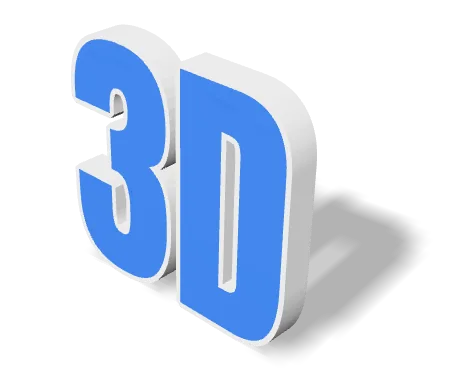
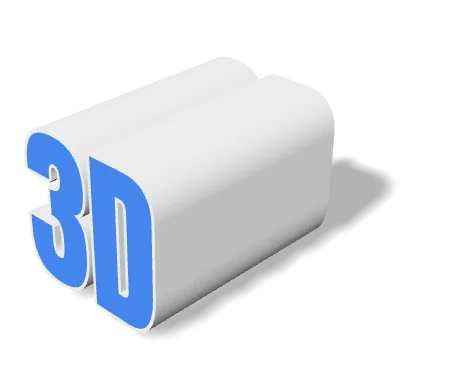
깊이는 글꼴 크기와 같은 단위로 측정되므로 두 슬라이더는 함께 움직입니다. 값이 작으면 양각처럼, 크면 독립된 입체물처럼 보입니다. 출력할 때는 깊이가 글자를 넘어지지 않게 받쳐 주는 바닥 면적도 결정합니다.
베벨 비교
이 도구에서 렌더링함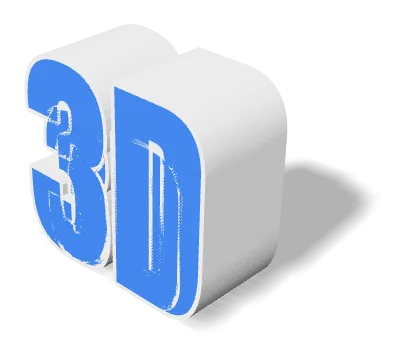
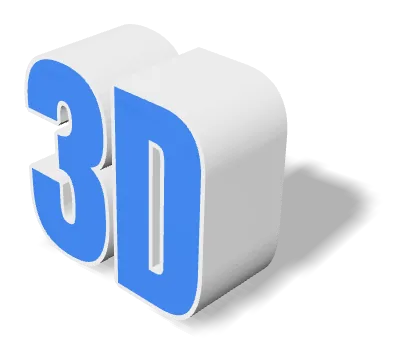
모델도 카메라도 조명도 같고 베벨만 다릅니다. 베벨은 90°의 날카로운 모서리를 좁은 경사면으로 바꿔 주므로, 모서리가 옆면에 묻히지 않고 하이라이트를 받습니다. 출력용이라면 작게 유지하세요.
재질 및 조명
7개의 내장 재질 프리셋(Standard, Plastic, Metal, Glass, Neon, Chrome, Gold)과 절차적 텍스처가 있어 같은 단어를 클릭 한 번으로 점토 목업에서 크롬 히어로 샷까지 바꿀 수 있습니다. 조명 회전 슬라이더는 키 라이트를 장면 주위로 회전시켜 매력적이고 그림자가 잘 드리운 각도를 빠르게 찾게 해줍니다.
재질 프리셋
이 도구에서 렌더링함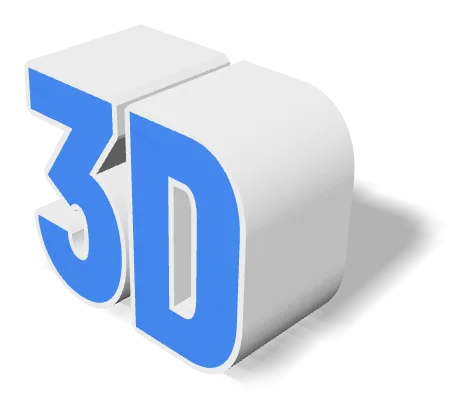
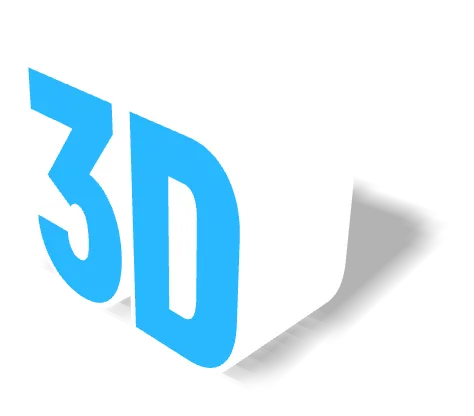
같은 지오메트리를 세 가지 프리셋으로 보여 줍니다. 재질은 음영에만 영향을 주고 메시는 동일합니다. STL과 OBJ는 재질 정보를 전혀 담지 않으므로, 어떤 프리셋을 골라도 내보낸 STL의 모습은 같습니다. 겉모습까지 파일에 담으려면 GLB로 내보내세요.
곡선・물결 텍스트
텍스트 곡선 컨트롤은 텍스트 라인을 호 따라 구부립니다 — 배지, 로고, 제품 아트에 적합합니다. 베이스라인을 따라 사인을 적용하는 웨이브 컨트롤과 결합하면 메시 편집 없이 리본 모양이나 물결 모양 레이아웃을 만들 수 있습니다. 두 효과 모두 비파괴적이므로 언제든 0으로 되돌릴 수 있습니다.
베이스라인 형태
이 도구에서 렌더링함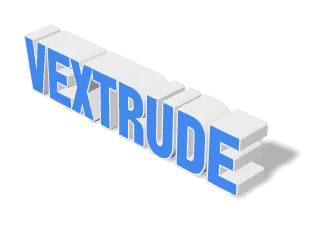
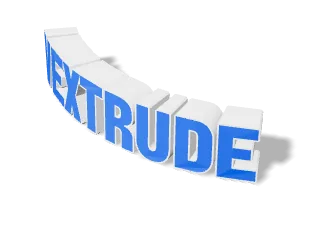
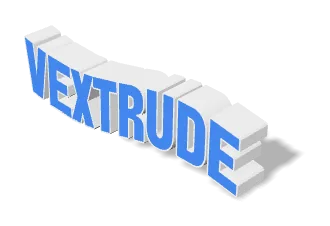
아치는 베이스라인을 원을 따라 구부리고, 물결은 그 위에 사인 곡선을 얹습니다. 둘 다 카메라 각도로 흉내 내는 것이 아니라 지오메트리 자체에 적용되므로, 내보낸 메시에도 곡률이 그대로 남습니다. 슬라이더를 0으로 되돌리면 원래대로 돌아갑니다.
내보내기: 인쇄 vs 웹
3D 인쇄에는 STL 또는 3MF를 사용하고 실제 너비(mm)를 설정하여 내보낸 모델이 베드 위에서 원하는 실제 크기와 일치하도록 하세요. 실시간 렌더링, 게임, AR에는 GLB — 작고 재질 데이터를 포함합니다. 스틸이나 로고 목업에는 투명 PNG(또는 애니메이션의 WebM 릴)만 있으면 충분합니다.
지원되는 내보내기 형식
한 줄의 텍스트를 3D 프린터, 게임 엔진, 렌더러 또는 디자인 앱이 필요로 하는 형식으로 변환하세요 — 모든 형식은 브라우저에서 로컬로 생성됩니다.
STL
Stereolithography
3D 프린팅의 표준 형식 — 어떤 슬라이서에도 바로 넣을 수 있습니다.
OBJ
Wavefront
재질과 텍스처 데이터를 포함하며 널리 지원되는 메시 형식.
GLB
Binary glTF
웹, AR, 게임 엔진을 위해 설계된 소형 형식.
3MF
3D Manufacturing
색상, 단위, 메타데이터를 담는 최신 인쇄 형식.
입력
3D 메시
이미지 및 동영상
글꼴 및 언어 지원
수십 종의 내장 글꼴, 직접 업로드하는 TTF/OTF, 그리고 비라틴과 RTL 문자에 대한 완전한 지원.
내장 글꼴
수십 개 포함
산세리프, 세리프, 디스플레이, 스크립트 계열을 엄선하여 모두 깔끔하게 돌출됩니다 — 다운로드 불필요.
TTF / OTF 업로드
모든 글꼴, 모든 굵기
당신의 .ttf 또는 .otf 파일을 놓으면 원클릭으로 사용합니다. 기기에 머물러 있습니다 — 서버에 업로드되지 않습니다.
비라틴 문자
CJK, 키릴, 데바나가리…
중국어, 일본어, 한국어, 키릴, 아랍어, 우르두어, 히브리어, 태국어 등이 언어에 맞는 글자로 렌더링되며, 텍스트가 HarfBuzz로 셰이핑되므로 아랍어와 우르두어가 문맥에 따라 연결되고(나스탈리크체 포함) RTL 문자는 오른쪽에서 왼쪽으로 배치됩니다.
실시간 미리보기
입력. 확인. 배포.
모든 키보드 입력이 3D 메시를 실시간으로 다시 빌드하므로 문구, 굵기, 깊이를 기다리지 않고 반복 수정할 수 있습니다.
여덟 가지 문자 체계
이 도구에서 렌더링함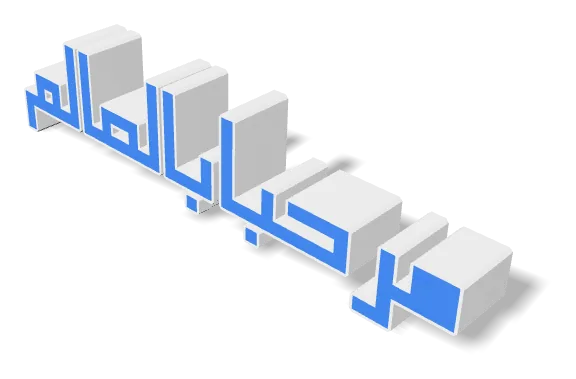
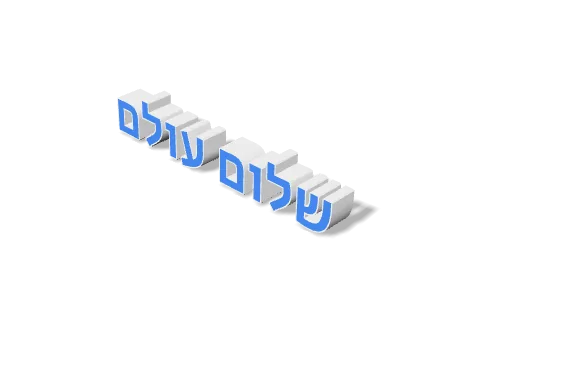
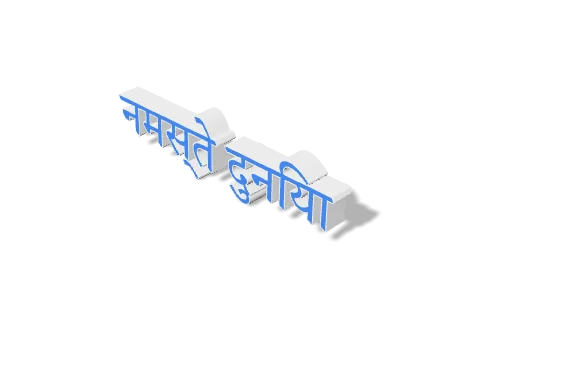
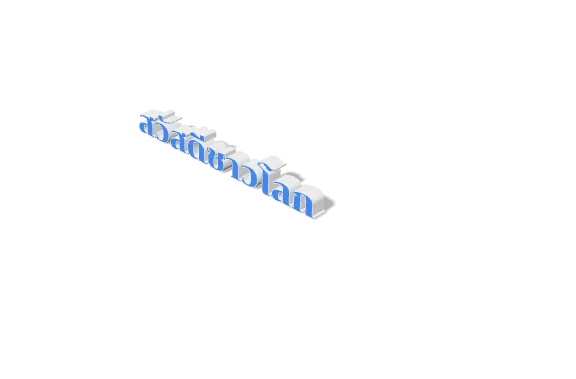
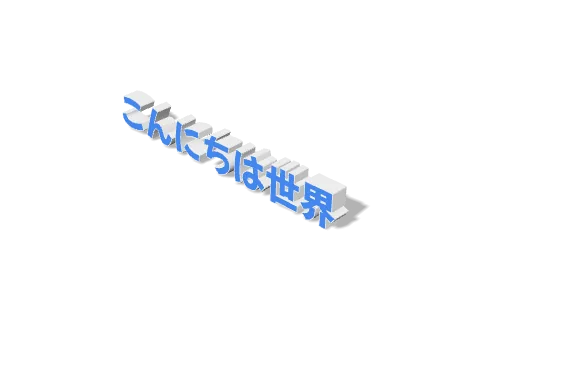
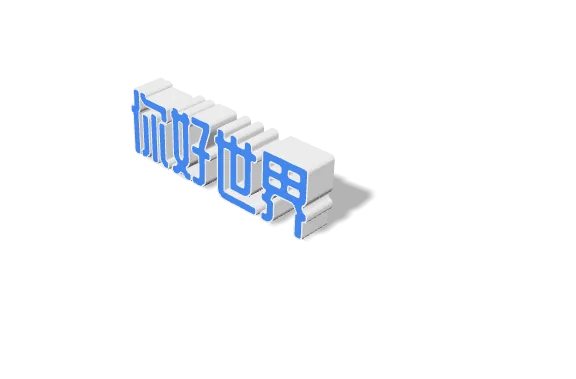
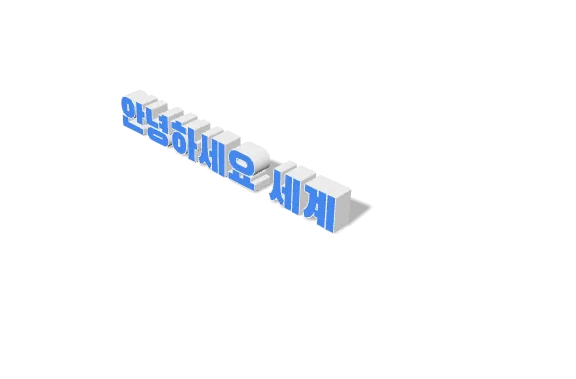
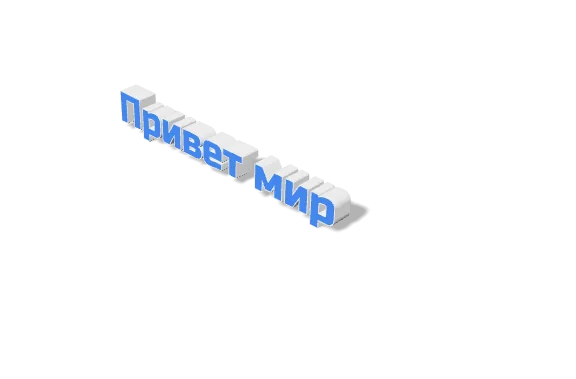
이 도구가 글꼴을 함께 제공하는 21가지 문자 체계 가운데 여덟 가지를, 편집기에서 그대로 렌더링한 것입니다. 까다로운 사례를 일부러 넣었습니다. 텍스트는 브라우저와 동일한 HarfBuzz로 셰이핑되므로 아랍 문자와 우르두 문자가 문맥에 따라 이어지고(기울어져 계단식으로 흐르는 나스탈리크체 포함), 아랍 문자와 히브리 문자는 오른쪽에서 왼쪽으로 흐르며, 인도계 문자의 합자는 하나로 결합된 글자로 만들어지고 모음 기호도 올바른 쪽에 놓입니다.
자주 묻는 질문
3D 텍스트 생성기에 대한 자주 묻는 질문.
제 폰트를 사용할 수 있나요?
네! 컴퓨터에서 모든 .TTF 또는 .OTF 폰트 파일을 업로드할 수 있습니다. 폰트는 브라우저에서 로컬로 처리되며 서버에 업로드되지 않습니다.
아랍어 또는 우르두어를 지원하나요?
네, Vextrude는 RTL 언어를 기본 지원합니다. 텍스트가 올바르게 표시되지 않으면 "Force RTL"을 켜세요.
상업적 용도로 무료인가요?
네, 도구는 100% 무료입니다. 생성한 3D 모델을 소유하며 모든 상업 프로젝트에 사용할 수 있습니다.
내 텍스트와 글꼴이 서버에 업로드되나요?
아닙니다. 모든 작업은 WebGL과 Three.js를 사용해 브라우저에서 로컬로 실행됩니다. 텍스트는 어디로도 전송되지 않으며, 업로드하는 글꼴도 장치에 머물러 있습니다 — 저희 측에서는 어떤 것도 업로드되거나 캐시되거나 기록되지 않습니다.
어떤 내보내기 형식을 고르면 되나요?
3D 프린터에는 STL 또는 3MF(3MF는 색상과 단위도 포함) 사용. 웹, AR, 게임 엔진에는 GLB — 작고 재질 데이터를 포함합니다. 디자인 목업이나 썸네일에는 투명 PNG(또는 애니메이션 버전의 WebM 릴)이 보통 가장 빠릅니다.
내보낸 모델을 정확한 실제 크기로 인쇄할 수 있나요?
예. 실제 너비(mm) 필드를 프린트 베드에서 원하는 너비로 설정하면 내보낸 STL/3MF가 슬라이서에서 다시 크기를 조정할 필요 없이 정확한 크기로 나옵니다.
비라틴 문자와 RTL 언어도 지원되나요?
예. 아랍어, 히브리어, 중국어, 일본어, 한국어, 데바나가리, 키릴, 태국어 등이 올바른 글자로 렌더링되며, RTL 문자는 오른쪽에서 왼쪽으로 레이아웃됩니다. 업로드한 글꼴에 해당 문자의 글자가 없다면 도구가 돌출 전에 경고합니다.
텍스트를 애니메이션하고 동영상으로 녹화할 수 있나요?
예. 애니메이션 패널에는 PowerPoint 스타일 프리셋(턴테이블, 엔트런스, 강조)과 속도/반전이 있습니다. 카메라 위젯의 셔터를 누르면 현재 애니메이션을 WebM 동영상으로 녹화합니다 — fit-frame, 1:1, 16:9, 9:16 비율로.