시작하려면 하이트맵을 놓으세요
노멀맵 생성기란?
전적으로 브라우저에서 실행되는 무료 온라인 노멀맵 생성기입니다. 하이트맵을 놓으면 노멀, 디스플레이스먼트, 앰비언트 오클루전, 스페큘러, 러프니스, 커베처의 여섯 가지 PBR 맵을 GPU에서 실시간으로 생성하며, 실시간 3D 미리보기를 제공합니다. 이미지는 기기에서 로컬로 처리되며 서버로 전송되지 않습니다.
온라인에서 노멀맵 만드는 방법
하이트맵에서 완전한 PBR 세트까지 네 단계 — 계정, 설치, 업로드 없이.
하이트맵 업로드
그레이스케일 하이트맵이나 아무 텍스처를 끌어 놓거나 클릭하여 찾아보세요 (PNG, JPG, WEBP). 투명 PNG를 지원합니다.
맵 조정
각 맵에는 전용 실시간 슬라이더가 있습니다 — 강도, 흐림/선명, AO, 스페큘러, 디스플레이스먼트, 러프니스, 커베처.
3D 미리보기
평면, 구, 큐브 또는 실린더에서 재질이 즉시 업데이트되는 것을 보거나, 팬과 줌으로 각 맵을 살펴보세요.
다운로드
맵 하나 또는 전체 세트를 ZIP으로 저장 — PNG, JPG, WEBP, 투명도 유지.
하이트맵에서 노멀맵으로
이 도구에서 렌더링함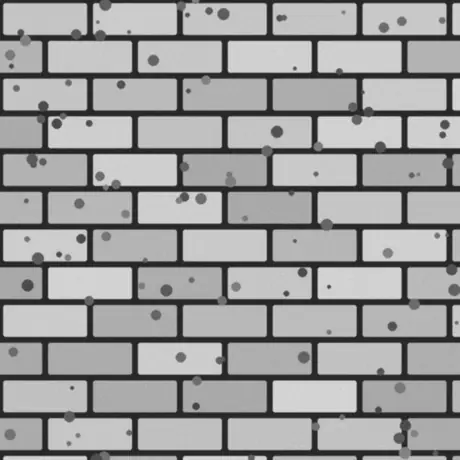
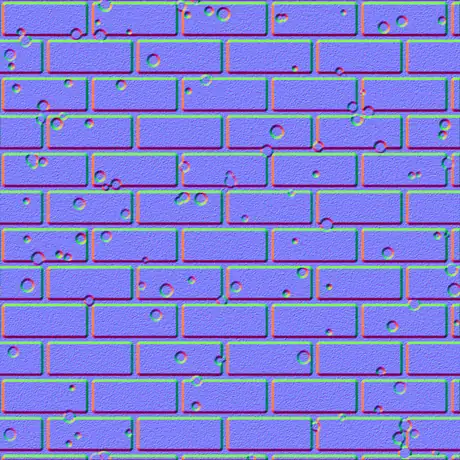
그레이스케일 하이트맵을 넣으면 탄젠트 공간 노멀맵이 나옵니다. 밝은 픽셀은 높게, 어두운 픽셀은 낮게 읽히고, 제너레이터는 그 기울기를 셰이더가 샘플링하는 빨강·초록 채널로 변환합니다. 모든 처리는 사용자의 GPU에서 이뤄지며 이미지는 브라우저를 벗어나지 않습니다.
이 노멀맵 생성기를 선택하는 이유
대부분의 온라인 생성기는 텍스처를 서버에 업로드해 느리게 처리합니다. 이 도구는 브라우저의 GPU에서 실행되며 모든 것을 보존합니다.
업로드하지 않음
이미지는 디스크에서 바로 읽어 WebGL로 로컬에서 처리됩니다. 아무것도 전송되지 않으므로 네트워크가 꺼져 있어도 동작합니다.
GPU에서 실시간
모든 맵은 프래그먼트 셰이더로 생성되어 슬라이더를 움직이면 여섯 맵이 몇 밀리초 만에 업데이트됩니다 — 4K에서도.
여섯 가지 맵, 각각 조정 가능
노멀, 디스플레이스먼트, 앰비언트 오클루전, 스페큘러, 러프니스, 커베처 — 각각 전용 실시간 컨트롤이 있습니다.
투명 영역은 잘라낸 상태로 유지
알파 채널이 있는 PNG를 놓으면 각 맵이 실루엣이 도드라진 깔끔한 컷아웃으로 생성됩니다 — 데칼과 스프라이트에 이상적.
엔진에 바로 쓰는 출력
OpenGL (+Y) 또는 DirectX (-Y) 노멀, Sobel 또는 Scharr 디테일, 흐림과 선명, 그리고 glTF·Unity·Unreal용 메탈-러프 러프니스 맵.
가입 없이 무료
계정 없음, 워터마크 없음, 기기 메모리가 허용하는 범위 외에는 파일 크기 제한도 없습니다.
생성되는 여섯 가지 맵
하이트맵 하나로 물리 기반 머티리얼 한 세트가 만들어집니다. 노멀 맵, 디스플레이스먼트 맵, 앰비언트 오클루전 맵, 그리고 세 가지가 더 있습니다. 각각이 무엇이고 어디에 쓰이는지 아래에 정리했습니다.
| 맵 | 설명 | 적합한 용도 |
|---|---|---|
| 노멀 | 탄젠트 공간 RGB 방향, OpenGL (+Y) 또는 DirectX (-Y). | 실시간 조명에서 표면 디테일을 흉내 냄. |
| 디스플레이스먼트 | 대비 조절이 가능한 높이 데이터. | 실제 지오메트리 디스플레이스먼트, 테셀레이션 또는 패럴랙스. |
| 앰비언트 오클루전 | 틈새의 부드러운 접촉 그림자. | 움푹한 부분의 자연스러운 음영. |
| 스페큘러 | 표면이 빛을 받는 위치, 높이에서 산출. | 구형 스페큘러 / 글로스 셰이딩 워크플로. |
| 러프니스 | 국소 표면 디테일에서 얻는 마이크로 러프니스. | glTF, Unity, Unreal의 메탈릭-러프니스 워크플로. |
| 커베처 | 볼록/오목 캐비티 맵 — 밝은 모서리, 어두운 틈새. | 모서리 마모, 먼지, 마스크 생성. |
이미지 한 장에서 나온 맵
이 도구에서 렌더링함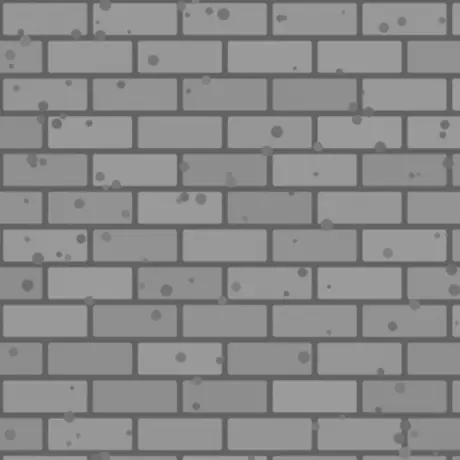
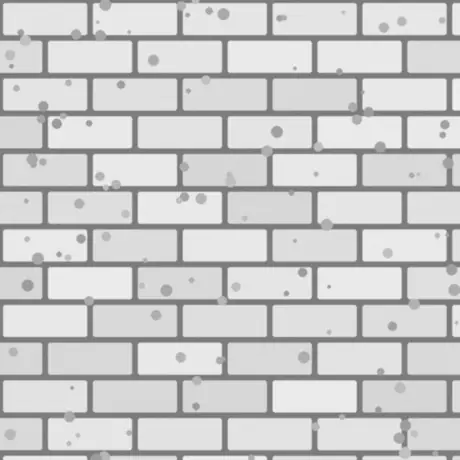
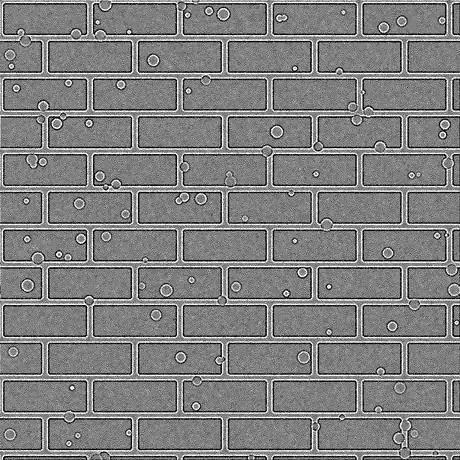
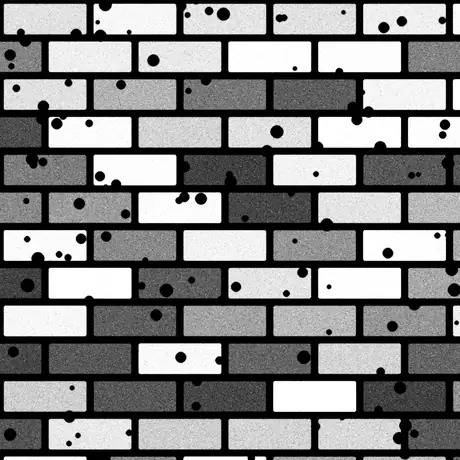
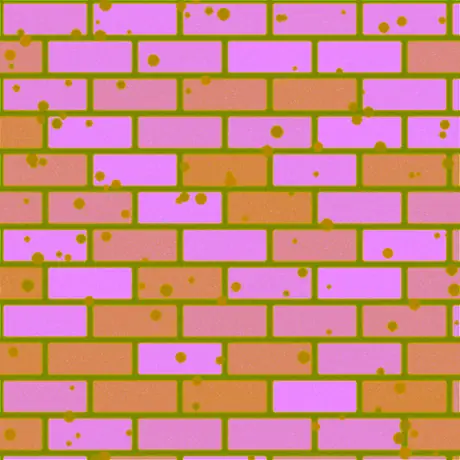
하이트맵 한 장에서 만들어지는 여덟 가지 맵 중 여섯 가지입니다. 러프니스와 스페큘러도 함께 생성됩니다 — 다만 기본 강도에서는 스페큘러 맵이 높이 값을 그대로 통과시킵니다. ORM은 앰비언트 오클루전, 러프니스, 메탈릭을 한 이미지의 빨강·초록·파랑 채널에 담은 것으로, glTF가 기대하는 배치입니다.
일반적인 용도
벽돌, 돌, 타일
촬영하거나 그린 하이트맵을 노멀 및 AO 맵으로 바꾸면 평평한 벽과 바닥이 실제 석조처럼 빛을 받습니다 — 추가 지오메트리 불필요.
PNG로 만드는 로고와 데칼
투명 PNG를 놓으면 노멀, 러프니스, 커베처가 형태가 도드라진 깔끔한 컷아웃으로 나와 다른 재질 위에 바로 얹을 수 있습니다.
glTF용 메탈-러프 세트
Unity, Unreal, Godot, Blender 및 glTF 표준이 사용하는 메탈릭-러프니스 워크플로를 위해 노멀, 러프니스, AO를 함께 내보내세요.
모서리 마모 및 먼지 마스크
셰이더나 텍스처링 도구에서 커베처와 AO 맵을 마스크로 사용해 모서리의 긁힘과 틈새의 때를 표현하세요.
자주 묻는 질문
브라우저에서 노멀맵을 만들 때 가장 자주 나오는 질문들.
제 이미지가 어딘가에 업로드되나요?
아니요. 생성기는 이미지를 브라우저에서 바로 읽어 GPU의 WebGL로 로컬에서 처리합니다. 서버로 아무것도 전송되지 않으므로 페이지가 로드된 뒤에는 오프라인에서도 작동합니다.
어떤 맵을 생성할 수 있나요?
여섯 가지: 노멀, 디스플레이스먼트, 앰비언트 오클루전, 스페큘러, 러프니스, 커베처. 각각 슬라이더가 있으며, 맵 하나 또는 전체 세트를 한 번에 PNG, JPG, WEBP의 ZIP으로 내려받을 수 있습니다.
빠른가요? 제 GPU를 사용하나요?
네. 모든 맵은 그래픽 카드의 WebGL 프래그먼트 셰이더로 생성되므로 슬라이더를 움직이면 각 맵이 몇 밀리초 만에 업데이트됩니다 — 4K에서도 — 지연이나 서버 왕복 없이.
투명(PNG) 이미지도 지원하나요?
네. 투명도가 유지됩니다: 생성된 각 맵은 이미지의 알파에 맞는 깔끔한 컷아웃이 되며 형태의 실루엣이 도드라집니다. PNG와 WEBP는 투명도를 유지하고, JPG는 흰색 배경으로 합쳐집니다.
OpenGL과 DirectX 노멀맵의 차이는 무엇인가요?
녹색(Y) 채널의 방향이 다릅니다. OpenGL (+Y)은 Unity, Blender, glTF에서, DirectX (-Y)는 Unreal Engine과 많은 게임에서 사용됩니다. 필요한 엔진 프리셋을 고르거나 Y 반전으로 뒤집으세요.
Unity, Unreal, Blender에서 사용할 수 있나요?
네. 노멀맵은 OpenGL과 DirectX 방식 모두로 제공되며, 러프니스 맵은 Unity, Unreal, Godot, Blender, glTF가 쓰는 메탈릭-러프니스 워크플로에 맞습니다. 무손실 품질을 위해 PNG로 내보내세요.
어떤 이미지로 시작해야 하나요?
그레이스케일 하이트맵(범프 맵)이 가장 좋은 결과를 냅니다: 밝은 영역은 높게, 어두운 영역은 낮게 처리됩니다. 디퓨즈 텍스처를 넣으면 밝기에서 높이를 추정하며, 이후 흐림/선명과 디테일 필터로 조정하세요.