무료 폰트 → Typeface.json 변환기
변환: TTF and OTF 폰트를 Three.js의 typeface.json으로 즉시 브라우저에서 — 100% 무료, 비공개, 서버 업로드 없음.
폰트 파일을 클릭하거나 여기에 드롭하세요
TTF 및 OTF 지원 (최대 50MB)
변환 설정
특정 문자만 변환하여 출력 파일 크기를 제한합니다.
3D 텍스트가 뒤집어 보이는 경우 사용하세요.
font.ttf
변환 준비 완료
3D 미리보기
WebGL미리 보기를 위해 폰트를 업로드하세요
typeface.json이란?
It's a JSON-based font format used by Three.js `FontLoader`. Converting your TTF files allows them to be loaded asynchronously in web applications without needing complex parsing libraries at runtime.
Read the full tutorial폰트 변환기란?
Vextrude 폰트 변환기는 TTF 또는 OTF 폰트를 Three.js의 typeface.json 형식으로 변환하는 무료 브라우저 기반 도구입니다 — 3D 텍스트 라이브러리가 실제 돌출 문자를 만드는 데 필요한 파일입니다. 폰트를 높으면 문자 집합과 베지에 정밀도를 조정하고 클릭 한 번으로 바로 쓸 수 있는 JSON을 다운로드하세요. 모든 것은 로컬에서 실행되어 폰트가 기기를 벗어나지 않습니다.
폰트를 typeface.json으로 변환하는 방법
원본 폰트 파일에서 Three.js용 typeface.json까지 네 번의 간단한 단계로 — 전적으로 브라우저에서.
폰트 업로드
.ttf 또는 .otf 파일을 놓으세요 (또는 클릭하여 찾아보기). 일괄 업로드도 지원됩니다 — 여러 폰트를 한 번에 추가하세요.
설정 조정
파일 크기를 줄이기 위해 문자 부분 집합(라틴, 키릴, 기호…)과 베지에 정밀도를 선택하세요.
실시간 3D 미리보기
확정 전에 로드된 폰트의 돌출된 3D 샘플을 회전해서 글자 문제를 일찍 발견하세요.
다운로드
typeface.json을 저장하거나 클립보드에 복사하거나 여러 폰트를 .zip으로 일괄 내보낼 수 있습니다.
왜 Vextrude 폰트 변환기인가?
웹을 위한 빠르고 비공개적인 폰트 변환이 필요한 개발자와 디자이너를 위해 만들어졌습니다.
100% 비공개 및 안전
모든 작업은 opentype.js를 사용해 브라우저에서 로컬로 진행됩니다. 폰트가 서버에 닿지 않으며 업로드도, 추적도, 분석도 없습니다.
즉시 변환
폰트를 놓으면 단 몇분의 일 만에 typeface.json을 받을 수 있습니다. 대기열도, 서버 왕복도, 일일 제한도 없습니다.
일괄 변환
한 번에 열개의 폰트를 놓으면 모두 하나의 .zip으로 다운로드됩니다 — 게임이나 사이트의 공유 폰트 라이브러리를 만들기에 좋습니다.
문자 서브셋
필요한 글자만 배포하세요. 비 라틴 스크립트나 무거운 기호 집합을 지우면 내보낸 JSON도 그에 맞게 줄어 번들에서 실제 바이트를 줄입니다.
Three.js 지원
출력은 FontLoader / TextGeometry (및 react-three-fiber의 Drei <Text3D>)에 변환이나 래퍼 코드 없이 바로 로드됩니다.
영원히 무료
가입, 워터마크, 파일 크기 결제 장벽 없음. 변환 권리가 있는 모든 폰트에 대해 개인과 상업 용도로 무료입니다.
폰트와 typeface.json 기초
폰트 파일을 3D 준비가 된 글자 데이터로 변환하는 데 필요한 모든 정보.
typeface.json이란?
폰트의 모든 글자를 베지에 명령(moveTo, lineTo, quadraticCurveTo, cubicCurveTo)의 연속으로 저장하는 JSON 파일입니다. Three.js의 FontLoader가 그 경로들을 ShapeGeometry로 바꾸고, TextGeometry가 이를 실제 3D 문자로 돌출합니다. “폰트 파일”과 “3D 메시” 사이의 형식입니다.
TTF를 직접 로드하면 안 되나요?
Three.js의 TextGeometry는 돌출할 수 있는 특정 셸이프 구조가 필요합니다. 원본 TTF/OTF 파일은 Three가 사용하지 않는 많은 것(힌팅, 커닝 테이블, OpenType 기능)을 포함하므로 바로 브라우저에 보내면 대역폭을 낭비하고 모든 방문자에게 헤드라인을 그리기 위해 폰트를 파싱하게 및니다.
베지에 정밀도
베지에 정밀도(또는 곡선 세그먼트)는 글자 윈곽선이 얼마나 매끄러운지를 결정합니다. 높을수록 더 매끄러운 3D 글자를 얻지만 JSON은 커집니다. UI 레이블과 제목에는 보통 6–8 이면 원본과 구분이 안 되며, 메인 이미지는 12–16까지 올려도 됩니다.
문자 서브셋
실제 폰트는 종종 수천 개의 글자를 포함합니다 — 라틴, 키릴, 그리스, CJK, 기호, 리거체 등. “VEXTRUDE 2026”만 필요하면 부분 집합 추출로 내보내기 전에 나머지를 폐기합니다. 4MB CJK 폰트를 라틴 전용으로 내보내면 몇 KB로 줄어들 수 있습니다.
라이선스 및 공정 이용
임베드 권리가 있는 폰트만 변환하세요. 대부분의 상용 폰트는 웹 사용을 허용하지만 원본 글자 데이터로의 재배포는 허용하지 않으므로 EULA를 읽으세요. 오픈소스 폰트(SIL OFL, Apache)는 앱과 공유 저장소 모두에 가장 안전합니다.
출력 사용하기
JSON이 이미 메모리에 있다면 FontLoader.parse()로, 가져와야 한다면 FontLoader.load()로 로드하세요. 반환된 폰트를 TextGeometry에 전달하고, 재질을 추가해 돌출하면 끝.
변환한 네 가지 서체
이 도구에서 렌더링함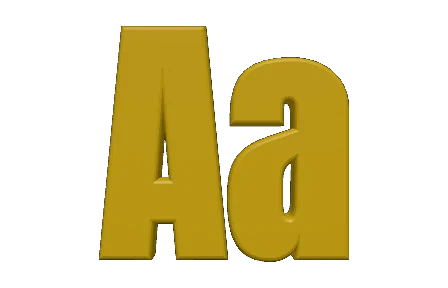
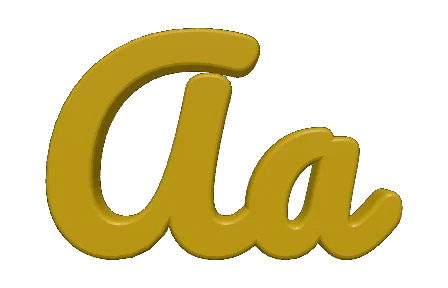
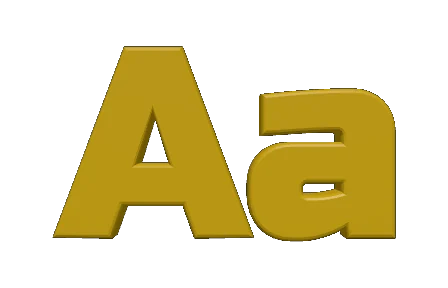
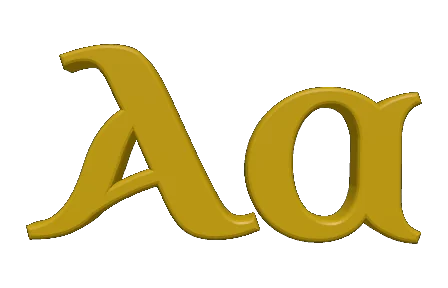
변환을 마친 같은 두 글자를 도구 자체의 미리보기로 그린 모습입니다. 굵은 그로테스크, 붓글씨체, 각진 디스플레이 서체, 그리고 역사적인 언셜체 — 윤곽선은 각 글꼴에서 그대로 나오므로, 여기 보이는 것이 곧 TextGeometry가 압출할 형태입니다.
지원되는 폰트 형식
디자인 앱과 브라우저가 이미 사용하는 폰트를 놓으세요 — 변환기가 이들을 모두 읽어 Three.js가 필요로 하는 형식으로 출력합니다.
TTF
TrueType
가장 일반적인 데스크톱과 웹 폰트로 이차 베지에 윈곽선을 기반으로 합니다. 입력으로서 완전히 지원됩니다.
OTF
OpenType
고급 타이포그래피가 포함된 TTF의 상위 집합입니다. 3차 베지에 윈곽선과 OpenType 기능이 깔끔하게 파싱됩니다.
typeface.json
출력
Three.js의 자체 JSON 폰트 형식. 다운로드 파일 또는 일괄 .zip으로 제공됩니다.
.zip
일괄 번들
여러 폰트가 큐에 있을 때 하나의 아카이브가 모든 typeface.json과 메니페스트를 모읍니다.
입력
출력
당신의 3D 스택과 함께
내보낸 JSON은 인기 있는 모든 Three.js 통합에 래퍼 코드나 형식 심 없이 바로 들어갑니다.
Three.js
FontLoader / TextGeometry
정석 사용법 — JSON 형식은 Three.js가 설계했습니다. 로드, 파싱, 돌출.
react-three-fiber
Drei <Text3D>
JSON을 Drei의 Text3D 컴포넌트에 전달하여 React에서 선언적 3D 타이포그래피를 얻으세요.
게임 및 WebXR
AR/VR 레이블
브라우저 기반 게임과 WebXR 경험에 선명한 3D 사이니지와 HUD를 배포하세요.
데이터 시각화
차트 및 대시보드
브라우저에서 지도, 금융 차트, 과학 플롯을 위해 맞춤형 레이블 폰트를 돌출하세요.
자주 묻는 질문
Vextrude 폰트 변환기에 대해 알아야 할 모든 것.
typeface.json 폰트란?
Three.js의 자체 JSON 폰트 형식입니다. 컴파일된 폰트 파일 대신 모든 글자를 베지에 경로 데이터로 저장하므로 FontLoader가 각 문자를 셸이프로 변환하고 TextGeometry가 이를 실제 3D 메시로 돌출합니다.
내 폰트가 서버에 업로드되나요?
아니요. 모든 작업은 opentype.js와 File API를 통해 브라우저에서 로컬로 실행됩니다. 변환기는 놓은 폰트를 업로드하거나 캐싱하거나 로그하지 않습니다.
어떤 폰트 형식을 변환할 수 있나요?
TrueType (.ttf)과 OpenType (.otf). 이차 및 3차 베지에 윈곽선 모두 지원됩니다. 비트맵 전용 폰트와 정적 인스턴스가 없는 가변 축 전용 폰트가 주로 사용할 수 없는 후보입니다.
Three.js에서 출력을 어떻게 사용하나요?
FontLoader로 로드하고 (loader.load() 또는 loader.parse()), 반환된 폰트를 TextGeometry에 전달한 다음 결과 메시를 장면에 추가하세요. react-three-fiber에서는 Drei의 <Text3D> 컴포넌트에 전달할 수 있습니다.
JSON 크기를 어떻게 줄이나요?
두 가지 레버: 문자 부분 집합(필요하지 않은 스크립트와 기호를 제거)과 베지에 정밀도(값이 낮을수록 곡선이 약간 덜 매끄럽지만 파일이 훨씬 작아짐)입니다. 둘 다 변환 설정 패널에서 사용할 수 있습니다.
여러 폰트를 한 번에 변환할 수 있나요?
예. 일괄 영역에 여러 .ttf/.otf 파일을 놓고 “Convert & Download All”을 누르면 각 typeface.json이 들어있는 하나의 .zip을 받을 수 있습니다.
상업적 사용은 무료인가요?
도구 자체는 개인 및 상업 용도로 무료입니다. 결과물인 typeface.json을 재배포할 수 있는지는 폰트의 라이선스에 달려 있으므로 공개 제품에 JSON을 배포하기 전에 상용 폰트의 EULA를 확인하세요.
비 라틴 스크립트를 지원하나요?
예 — 키릴, 그리스, 아랍, 히브리, 데바나가리, 태국어, CJK 등도 원본 폰트에 해당 스크립트의 글자가 포함되어 있다면 깔끔하게 변환됩니다.