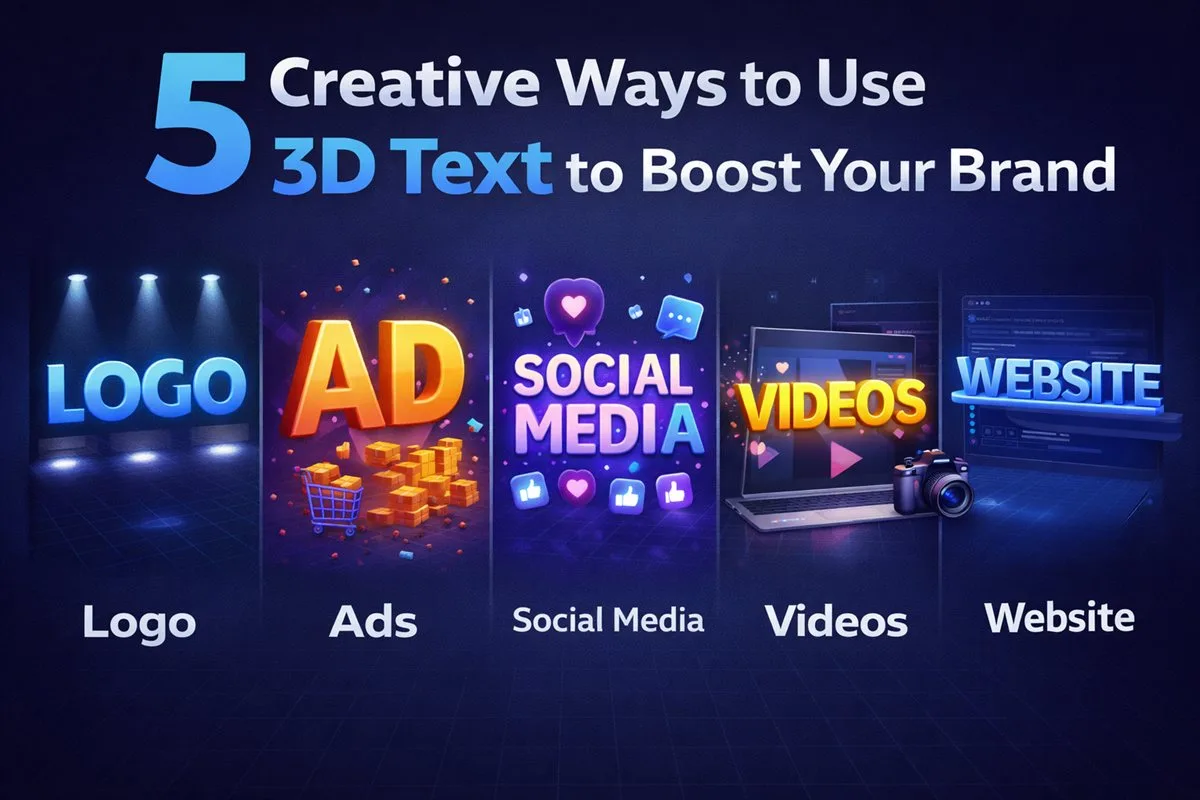
Sometimes the hardest part of design isn't the "how", but the "what". If you're stuck in a creative rut, 3D typography can be the spark you need.
1. The Immersive Hero Header
Websites like Linear and Stripe have popularized the "3D object floating in a void" aesthetic. You can replicate this by generating your headline in 3D.
How to do it: Export your text as a .GLB file, check it in a 3D viewer, and use <model-viewer> to embed it. Set auto-rotate to add subtle motion that catches the user's eye immediately.
3. Game UI Elements
Indie game devs often struggle with UI assets. Need a "Level Up", "Victory", or "Game Over" screen?
Type the phrase into Vextrude, choose a chunky font like Helvetiker Bold, and export as .OBJ. You can drop this directly into Unity or Unreal Engine as a mesh, applying your own game's shaders to match the art style perfectly.
4. Physical Signage Prototyping
designing a physical sign for a shop or event? It's hard to visualize how thick acrylic letters will look from the side.
Use Vextrude to simulate the physical object. Adjust the "Extrusion Depth" to match the material thickness (e.g., 5mm or 1 inch). You can then show this 3D model to your client or manufacturer to get approval before cutting any material.
5. YouTube Thumbnails with Depth
High CTR thumbnails often feature text that appears to interact with the background.
Create your video title in 3D, rotate it to an extreme angle (like 45 degrees), and take a screenshot. This perspective is difficult to achieve with standard 2D text tools but takes seconds in a true 3D editor.
Workflow Tips for Maximum Efficiency
Getting the most out of 3D typography for branding means developing a repeatable workflow. These habits save hours across projects and ensure visual consistency between assets.
Build a material preset library
When you find a combination of color, metalness, roughness, and lighting that fits your brand perfectly, screenshot the settings panel alongside a rendered viewport sample. Over time, this becomes a personal 3D style guide that ensures every asset you create looks like it belongs to the same visual system. If your brand uses specific hex colors, note the equivalent Hue, Saturation, and Lightness values you used in Vextrude so you can reproduce them exactly in future sessions.
Export once, use everywhere
A single high-quality GLB export can serve multiple purposes: embedded in a website hero section via <model-viewer>, imported into a presentation as an interactive 3D reference, used as a reference image in Figma, and rendered in Blender for print materials. Think of each export as a master asset rather than a single-use deliverable. Keeping your exports organized in a folder with descriptive names (e.g., brand-logo-chrome-v3.glb) means you can retrieve and reuse them months later without recreating everything from scratch.
Match your existing brand typeface
If your brand uses a specific typeface for print and digital communications, upload that same TTF or OTF file to Vextrude. This creates 3D assets that feel like a natural visual extension of your existing identity rather than a disconnected novelty. Consistency across 2D and 3D touchpoints is what separates intentional professional branding from amateur experiments. If your primary typeface does not work well in 3D (too thin, too detailed), find a 3D companion that shares similar proportions and personality.
Choosing the Right Colors & Materials
The material preset you choose defines the emotional character of your 3D text. Here is a practical guide to matching material choices to creative contexts.
- Standard / Matte: Clean and modern. Works perfectly for SaaS products, developer tools, and professional services. Flat colors with low roughness values feel premium without being showy. This is the safe default for most business applications.
- Metallic (Chrome / Gold): High perceived value. Brushed gold finishes suit luxury brands, awards, and premium product launches. Use warm metallic tones (brass, gold, copper) for energy and warmth; cool metallic tones (silver, platinum, steel) for precision and technology. The key to metallic 3D text looking real is correct lighting — adjust the light angle until you see clear specular highlights on the bevel edges.
- Neon / Emissive: High energy and attention-grabbing. Best for gaming, music, nightlife, and youth-oriented brands. The secret to neon not looking cheap is restraint — use it for one or two accent words, not entire paragraphs of text. Combine with a dark background and enable Bloom for maximum impact.
- Pastel / Frosted: Friendly, approachable, and contemporary. Consumer apps, lifestyle brands, and creative agencies often prefer lower-saturation palettes with subtle shadows. A gentle bevel keeps the geometry feeling tactile without the sharpness of high-contrast materials.
Quick reality check: Take a viewport screenshot and paste it alongside your existing logo and brand colors. If the 3D element looks like it belongs in the same family, you have the right material. If it looks like it came from a different project entirely, adjust the color temperature or roughness before exporting.
Frequently Asked Questions
Do I need Photoshop to use 3D text in my designs?
No. You can screenshot the Vextrude viewport and paste it directly into Canva, Figma, or any design tool as a PNG with a transparent-looking background. For web use, export as GLB and embed with <model-viewer> for an interactive 3D element. Photoshop is useful for advanced compositing but not required for any of the five use cases in this article.
Can I use 3D text generated in Vextrude for commercial projects?
Yes. 3D geometry exported from Vextrude can be used in commercial work without restriction. The one caveat is the font file you upload: ensure it is licensed for commercial use. System fonts and open-license fonts (Google Fonts, OFL-licensed typefaces) are completely unrestricted for commercial 3D use.
How do I embed a 3D text asset on my website?
Export your text as GLB. Add the <model-viewer> web component to your page via its CDN script tag, then use <model-viewer src="your-text.glb" auto-rotate camera-controls></model-viewer>. This gives you an interactive, touch-enabled 3D element that works on all modern browsers and devices with no WebGL setup required on your part.
Which use case delivers the best ROI for a small business?
Hero headers and social media assets deliver the highest visual impact for the least effort. A single well-crafted 3D version of your business name, used consistently across your website hero and social profiles, creates a premium impression that rivals much larger brands. Start here before investing time in the other four use cases. Once you have the master asset, reusing it across contexts takes minutes.
Related reading
- How to Create Professional 3D Typography in Your Browser
- Mastering Custom Fonts & Arabic/RTL Support in 3D
2. Pop-Out Social Media Assets
Flat text on Instagram Stories or Twitter banners can feel boring. 3D text adds depth and professionalism.
Technique: Use Vextrude to create your text with a "Neon" material. Instead of exporting a model, simply screenshot the viewport (or use a screen capture tool) to get a high-res image with natural lighting and shadows. Layer this over your photos in Canva or Photoshop.