3D 打印控制 — 免费在线切片器

Vextrude

将 STL、GLB、OBJ、3MF 或 PLY 文件拖放到此处

or click to browse — model will be placed on printer bed

Workflow

工作原理

从 3D 模型到打印机就绪的 G-code,四个简单步骤 — 完全在浏览器中。

1

Upload Model

Drop an STL, GLB, OBJ, 3MF, or PLY file — or send directly from the SVG to 3D converter using the Print button.

2

配置设置

选择打印机,设置层高、填充密度、温度、支撑和附着类型。

3

预览切片

Scrub through every layer of your print with the real-time slice preview. Play animations at variable speeds.

4

导出 G-code

生成带有周长、填充和温度控制的打印机就绪 G-code — 下载并打印。
功能

打印准备所需的一切

A complete browser-based print preparation tool with real-time 3D visualization and instant G-code generation.

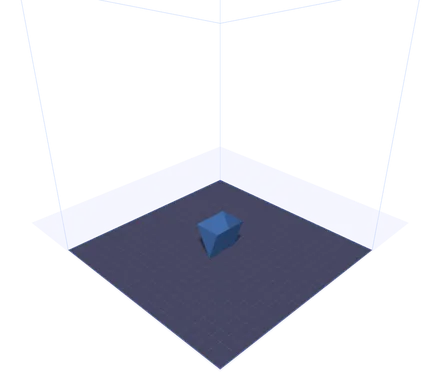
Printer Bed Visualization

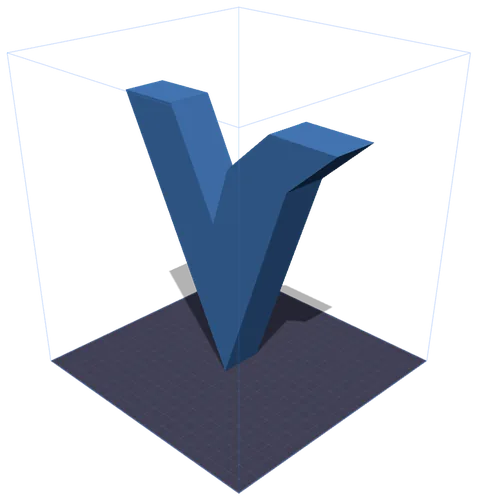
See your model placed on an accurate 3D printer bed with grid lines. Supports Ender 3, Prusa i3, Bambu Lab X1, Voron 2.4, and custom bed dimensions.

完整打印设置

Fine-tune layer height, nozzle diameter, print speed, infill density and pattern, nozzle and bed temperatures, support structures, and adhesion type.

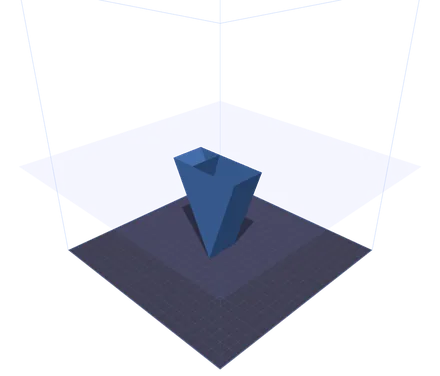
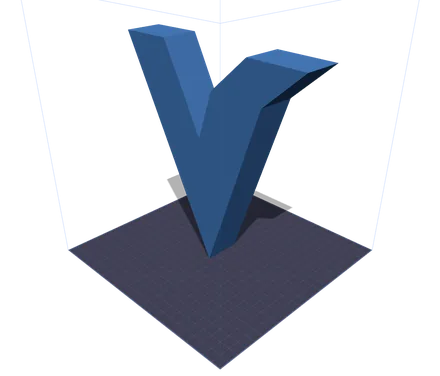
逐层切片预览

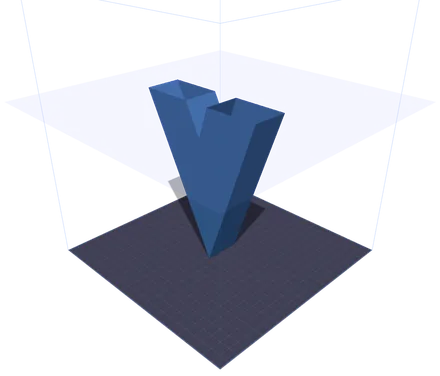
Scrub through your print layer by layer with a real-time GPU-accelerated clipping plane. Animated playback at 1x, 2x, or 5x speed to inspect every detail.

G-code 导出

Generate complete G-code files with start/end sequences, perimeter tracing, grid infill, and proper extrusion calculations. Download and send straight to your printer.

Instant Model Transfer

Click the Print button in the SVG to 3D converter and your model transfers instantly via IndexedDB — no downloads, no re-uploads needed.

100% Browser-Based

No installation, no cloud uploads. Everything runs locally in your browser using WebGL and Three.js. Your files never leave your machine.

完整指南

3D Print Preparation & G-code Basics

Everything you need to know about preparing models for FDM 3D printing.

What Is Print Preparation?

Print preparation (or print prep) is the process of taking a 3D model and configuring it for a specific 3D printer. This includes positioning the model on the build plate, selecting print quality settings like layer height and infill, choosing temperatures for your filament, and ultimately generating the G-code instructions that tell your printer exactly how to move.

What Is G-code?

G-code is the standard language used to control CNC machines and 3D printers. Each line contains a command — G1 for linear moves, M104 for setting temperatures, and G28 for homing axes. The Print Control tool generates complete G-code with start sequences, layer-by-layer perimeters, infill patterns, and end sequences ready for most FDM printers.

Choosing the Right Material

PLA (200/60°C) is the easiest to print — great for prototypes and decorative models. PETG (235/80°C) offers better durability and heat resistance. ABS (240/100°C) is strong but requires an enclosed printer. TPU (225/50°C) is flexible, ideal for phone cases and gaskets. Use the material preset buttons to instantly set the right temperatures.

Understanding Layer Height

Layer height determines print quality and speed. 0.1mm layers produce smooth surfaces but take longer. 0.2mm is the standard balance of quality and speed. 0.3mm+ layers print faster but show visible layer lines. The slice preview lets you see exactly how many layers your model will have at any setting.

Infill Patterns Explained

网格 provides balanced strength in all directions. 线条 are fastest to print but weaker on one axis. 三角形 offer excellent structural rigidity. 蜂窝 gives the best strength-to-weight ratio. For decorative prints, 10-20% infill is sufficient. Functional parts typically need 40-60%.

支撑和附着

Enable supports for overhangs beyond 45° — they prevent drooping and failed prints. For bed adhesion, Skirt primes the nozzle without touching the model. Brim adds a flat border for better grip. Raft prints a thick base layer, useful for warping-prone materials like ABS.

兼容性

支持的打印机和格式

内置流行 FDM 打印机的预设,支持自定义打印床尺寸。

🖨️

Ender 3

220 × 220 × 250 mm

The most popular budget FDM printer. Great for beginners.

🖨️

Prusa i3 MK3S+

250 × 210 × 210 mm

Industry standard for reliability and print quality.

🖨️

Bambu Lab X1

256 × 256 × 256 mm

High-speed CoreXY with automatic calibration.

🖨️

Voron 2.4

350 × 350 × 350 mm

Open-source CoreXY for large, high-quality prints.

输入格式

STL GLB OBJ 3MF PLY

输出格式

G-code

Materials

PLA PETG ABS TPU

常见问题

关于 3D 打印控制工具的常见问题。

3D 打印控制是免费的吗?

Yes, completely free. Print Control runs entirely in your browser — there are no subscriptions, no sign-ups, and no usage limits. Your 3D models are processed locally and never uploaded to any server.

我可以直接在打印机上使用 G-code 吗?

The generated G-code includes proper start/end sequences, temperature commands, homing, and extrusion calculations compatible with most Marlin-based FDM printers. Always review G-code before printing on a new machine for the first time.

What file formats can I upload?

Print Control accepts STL (the most common 3D printing format), GLB (binary glTF, used by the SVG to 3D converter), OBJ (Wavefront), 3MF (3D Manufacturing Format with color and material data), and PLY (Polygon File Format, common in 3D scanning). Drag and drop files or use the upload button.

How does the model transfer from SVG to 3D work?

When you click the 打印 button in the SVG to 3D converter, your model is exported as a GLB blob and stored temporarily in your browser's IndexedDB. Print Control automatically detects and loads the pending model when it opens — no file downloads needed.

What does the slice preview show?

The slice preview uses a GPU-accelerated clipping plane to cut through your model at each layer height. You can scrub through all layers with the slider or play an animation to visualize the entire print from bottom to top.

我的打印机不在预设中,还能使用吗?

Yes. Select 自定义 from the printer dropdown and enter your bed dimensions (X, Y, Z in millimeters). The printer bed and build volume wireframe will update to match your exact printer specifications.

What infill pattern should I use?

网格 is the best general-purpose pattern. Use 三角形 for structural parts that need rigidity, 蜂窝 for the best strength-to-weight ratio, and 线条 when you want the fastest print time. For decorative items, 10-20% density is usually enough.