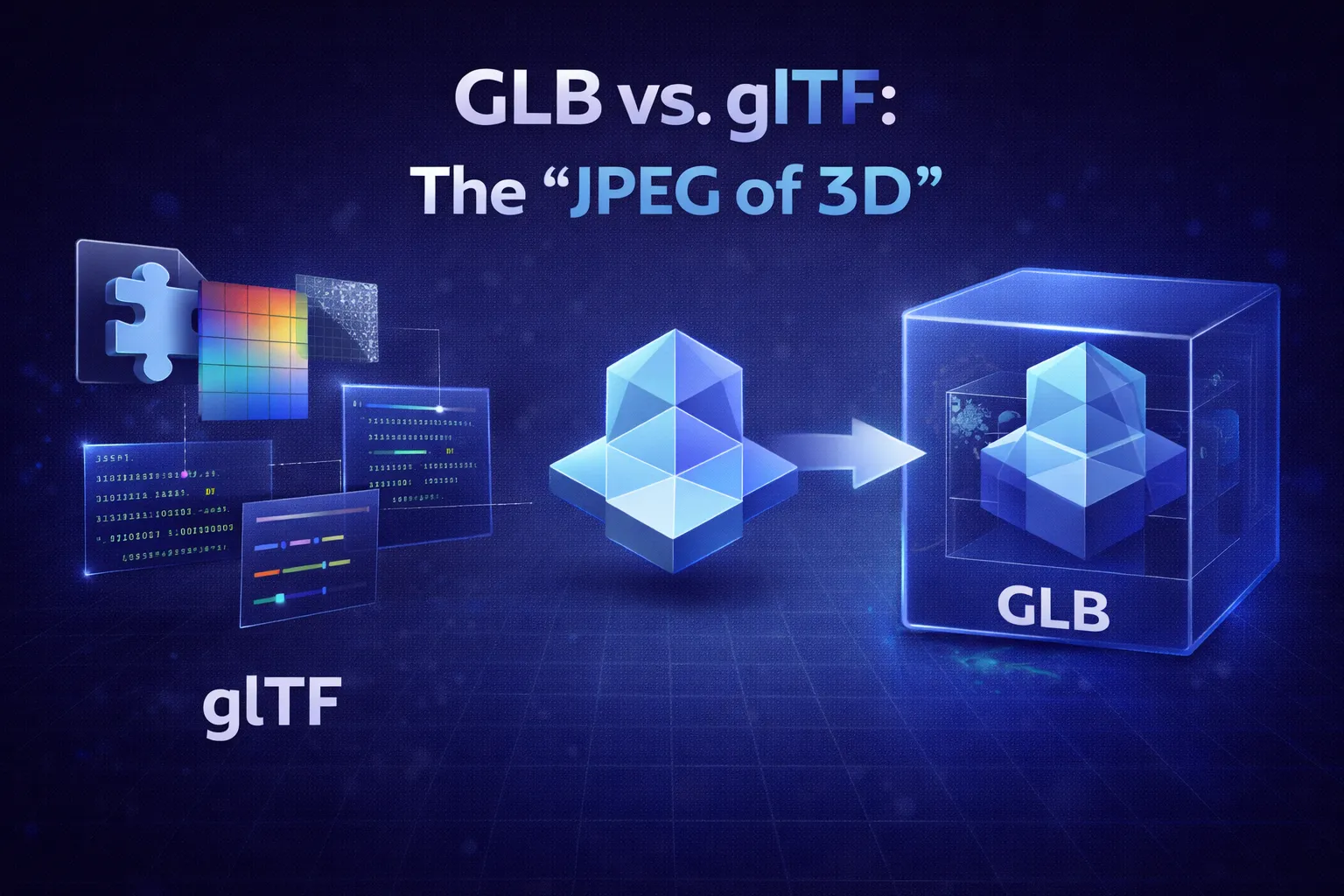
The Khronos Group calls glTF the "JPEG of 3D". It's efficient, interoperable, and the backbone of modern 3D on the web.
What is glTF?
glTF (Graphics Language Transmission Format) is a JSON-based format. If you open a `.gltf` file in a text editor, you'll see readable code describing the scene structure, cameras, and nodes.
However, the actual geometry (vertices) and textures (images) are usually stored in separate `.bin` and `.png` files referenced by the JSON.
What is GLB?
GLB is simply the Binary version of glTF. It takes the JSON, the `.bin`, and the textures, and packs them all into a single file.
This is why it's called the "JPEG of 3D". Just like you don't want to email a folder of raw pixels, you don't want to host a folder of loose assets. You want one file that just works.
Which Should You Choose?
Use GLB When...
- You are sharing the file (email, Discord).
- You are uploading to a CMS or website.
- You want simplicity.
Use glTF When...
- You are developing and want to debug the JSON.
- You want to reuse the same texture across multiple models (referencing the same .jpg).
Two Files, One Format
GLB and glTF are not competing formats. They are two containers for the same data, and knowing what each holds explains every practical difference between them.
A .gltf file is JSON. Open it in a text editor and you can read the scene graph, the node hierarchy, the material definitions and the animation channels. What it does not contain is the heavy data: the vertex positions, normals and indices live in a separate .bin file, and the textures sit alongside as ordinary PNG or JPEG files. A single model is a folder of three, five, sometimes twenty files, and moving it means moving all of them.
A .glb is the same content packed into one binary file. It has a 12-byte header, then a JSON chunk holding exactly what the .gltf would have held, then a binary chunk containing the geometry and, usually, the textures. One file, nothing to lose in transit.
That is the whole distinction. Same specification, same features, same renderer support — only the packaging differs.
Which Is Actually Smaller
GLB is usually smaller, but not for the reason people assume. Binary packaging is not compression; the vertex data is byte-identical in both.
The difference shows up when a .gltf embeds its resources instead of referencing them. Embedded buffers and textures have to be encoded as base64 data URIs inside the JSON, and base64 costs roughly 33% overhead — three bytes become four characters. A 9 MB model becomes about 12 MB of text. GLB stores the same bytes raw.
If the .gltf keeps its resources external, total size is near identical. You are then trading one 40-byte-per-file HTTP request against the convenience of a single download.
Rule of thumb:
Shipping to a browser, a game engine or a client? Use GLB. Keeping a model in version control, or sharing one texture set across several models? Use .gltf with external resources — a text-based JSON file produces readable diffs, while a GLB shows up as one changed binary blob.
Draco and Meshopt Do the Real Work
If you need a meaningful size reduction, the container is the wrong lever. Mesh compression is where the gains are.
Draco quantises vertex attributes and re-encodes the connectivity, and routinely cuts geometry to a fraction of its original size on dense meshes. The cost is that the decoder has to run before anything renders — a WASM module the client downloads once, plus decode time that is noticeable on very large models and on weak phones.
Meshopt takes a different trade: less aggressive ratios than Draco, but far faster decoding and a much smaller decoder. For web viewers where time-to-first-frame matters more than transfer size, it is often the better choice.
Both are extensions recorded in the glTF JSON, so a file using them is still a valid glTF or GLB — it simply requires a viewer that understands the extension. Test in your actual target before committing — or load the file in a viewer first — because an unsupported extension usually means the model renders as nothing at all.
Textures Are Usually the Real Payload
On most models, geometry is not what makes the file large. Four 2048×2048 PBR maps — base colour, normal, metallic-roughness, occlusion — will comfortably outweigh the mesh.
PNG and JPEG are the baseline every viewer supports, but both have the same problem: they are decoded to raw RGBA in GPU memory. A 2K texture occupies about 16 MB of VRAM regardless of whether the file on disk was 400 KB or 4 MB.
KTX2 with Basis Universal addresses that. It stores textures in a form that transcodes directly to whatever compressed GPU format the device supports, so the memory footprint drops as well as the download. On a scene with several textured models the difference is the gap between smooth and stuttering on mid-range hardware.
Before reaching for any of it, check your texture dimensions. Authoring at 4K and displaying at thumbnail size is the most common cause of a bloated GLB, and resizing costs nothing.
AR Needs Both GLB and USDZ
This catches people building "view in your room" features. There is no single file that works everywhere.
Android's Scene Viewer takes GLB. iOS Quick Look does not — it requires USDZ, Apple's zipped Universal Scene Description package. Serving a GLB link to an iPhone gets you a download prompt rather than an AR session.
The standard approach is to publish both and let the page choose: <model-viewer> accepts a src for GLB and an ios-src for USDZ, and picks per platform. Converting GLB to USDZ is mechanical, so this is a build-step problem rather than a modelling one. The iPhone AR walkthrough covers the serving side in detail.
Four Things That Break on Import
Most "my GLB looks wrong" reports come down to one of these:
- Axis convention. glTF is Y-up. Blender is Z-up. The exporter handles it, but a model built in a Z-up pipeline and hand-converted will arrive lying on its side.
- Scale is in metres. glTF units are metres by definition. A model authored at 1 unit = 1 millimetre imports 1000× too large, which usually looks like the camera being stuck inside a wall.
- Materials are PBR only. There is no glTF equivalent of an arbitrary shader graph. Anything procedural gets baked to textures or lost, so check materials after export rather than assuming.
- Vertex colours need a flag. They survive the format, but many materials ignore them unless the material is explicitly told to read
COLOR_0. A model that looked colourful in your scanner's viewer can arrive uniformly grey.
Related reading
- STL vs OBJ vs GLB: Which 3D Format Should You Choose?
- How to Reduce STL File Size
- How to Use 3D Logos in Modern Web Design
- 3D Converter vs Blender: When Each One Wins